
10 User Research Methods for Startup Teams

Yusuf
Founder and lead designer at 925studios

75% of UX professionals use user research, interviews, or surveys, while 69% use usability testing, so the best method isn't the most complex one. It's the method that answers the decision in front of your team.
Interviews and contextual inquiry uncover the core problem. Prototype and usability testing reduce product risk. Analytics, feedback, surveys, and A/B testing measure behavior at scale. A survey can't reliably reveal a problem you haven't defined, and an A/B test is a poor first move when you don't yet have enough meaningful product behavior to compare.
For startup teams, the practical path is straightforward: discover the problem, understand the workflow, test the proposed experience, then measure the live product. This list moves from high-context qualitative research to scalable quantitative methods, with each method tied to a decision, a lightweight execution plan, and a path to a shipped change.
For AI SaaS, Web3, and Fintech products, that discipline matters. Complex workflows need clearer interfaces, unfamiliar technology needs stronger trust signals, and every research finding should influence something users can see, use, or understand, including product design, brand expression, onboarding, and frontend behavior.
Choose the method that reduces the specific decision risk, not the method your team happens to know best.
Table of Contents
1. User Interviews
User interviews help you discover what people are trying to accomplish, how they handle it today, and where the current workflow breaks. A strong interview explores past behavior rather than asking someone to predict whether they'd use a feature. “Tell me about the last time you…” usually produces more useful evidence than “Would you use…?”
This is especially valuable for SaaS founders deciding whether a proposed feature solves a real problem. A customer may request a dashboard, but the underlying issue could be that they can't tell what needs attention. The product decision may be a clearer status model, not another dashboard.
A practical interview template is simple:
Opening prompt: “Walk me through the last time you tried to complete this task.”
Follow-up: “What did you do next, and why?”
Depth probe: “What made that difficult?”
Closing question: “What workaround do you use today?”
Recruit people outside your immediate network when possible. Record with permission so you can listen instead of typing constantly, and look for repeated patterns rather than unanimity. This customer interview structure can help turn a loose conversation into a consistent guide.
From insight to shipped change
Synthesize interviews into a short list of observed behaviors, unmet needs, and supporting evidence. Then convert one pattern into a product decision, such as changing onboarding language, removing an unnecessary step, or reframing a feature around the user's actual job. For an AI product, the result might be a clearer explanation of what the model can and can't do. For Fintech, it might be a more transparent approval or transaction flow.
Nielsen Norman Group recommends starting qualitative interviews with a small representative sample, around 5 to 6 participants, and analyzing as you go because saturation is difficult to predict in advance (Nielsen Norman Group's interview sample guidance). That makes interviews practical for an early team, provided the participants face the problem.
2. Contextual Inquiry
Interviews tell you what users remember. Contextual inquiry shows you what they do while working in the environment that shapes their decisions.
Observe a customer using your product alongside spreadsheets, chat tools, internal documents, browser tabs, approval processes, or physical notes. The surrounding workflow often explains behavior that makes little sense inside the product alone. A user who appears to ignore a feature may be switching between systems because your interface doesn't fit the way work gets done.
This method is particularly useful for complex AI SaaS, Web3, and Fintech products. A team managing financial operations may use your product while reconciling data in another system. A Web3 user may pause during wallet actions because they're checking a separate security process. A machine learning team may copy outputs into a shared document because the product doesn't support review and handoff.
A field template that works
Plan a focused observation session around a real task. Ask the participant to work normally, not to perform a polished demonstration. Note:
Environment: Which tools and people surround the workflow?
Sequence: What happens before and after the product?
Workarounds: Where does the user copy, export, repeat, or verify information?
Interruptions: What breaks concentration or changes the task?
Language: Which words does the user use for the work?
Ask why when you see an unusual action, but don't interrupt every step. A short debrief after observation helps separate what you saw from what the participant believes they were doing.
From insight to shipped change
Turn the session into a workflow map with clear opportunities. The product response might be an integration, a new status state, a better export, or a redesigned multi-step flow. The brand response could be clearer terminology that matches the customer's own language. The frontend response might be reducing context switching by keeping key information visible in one workspace.
Prioritize a small group of customers who closely represent the market you're targeting. Contextual inquiry takes more coordination than a remote interview, so use it when the work environment is likely to change the product decision.
3. Prototype Testing and Concept Validation
Prototype testing helps a startup decide whether to build, revise, or reject a product direction before engineering commits. The right prototype depends on the decision. A rough wireframe can expose a confusing workflow, while an interactive version can test onboarding, trust cues, interaction details, and the connection between brand promise and shipped interface.
A Fintech team could show storyboards for voice-based transaction approval. Participants may understand the convenience yet hesitate to trust voice for financial decisions. The team can then change the concept before building speech infrastructure. An AI SaaS team might test whether users recognize when an automated recommendation is ready for review, rather than assuming another button will improve adoption.
Use a short, repeatable session:
First impression: “What do you think this product is helping you do?”
Expectation: “What would you expect to happen next?”
Trust check: “What, if anything, would make you hesitate here?”
Priority check: “Which part of this flow matters most to you?”
Recruit people who match the intended customer and have the problem the concept addresses. A small set of relevant participants can expose a weak premise quickly. Keep the session focused on the decision, not on collecting general opinions.
Prototype fidelity should match the risk. Keep early work plain when testing structure, because visual polish can pull attention away from the concept. Increase fidelity when hierarchy, interaction detail, or brand trust is part of the question. A practical guide to connecting prototypes with product decisions is what prototyping means for product teams.
From insight to shipped change
After each round, classify findings as keep, change, investigate, or reject. Update the prototype and retest the changed flow. Translate the result into a product decision, such as removing a feature, changing the onboarding sequence, adding a trust explanation, or revising interface language. Record which assumption the evidence supports and who owns the next change.
4. Usability Testing
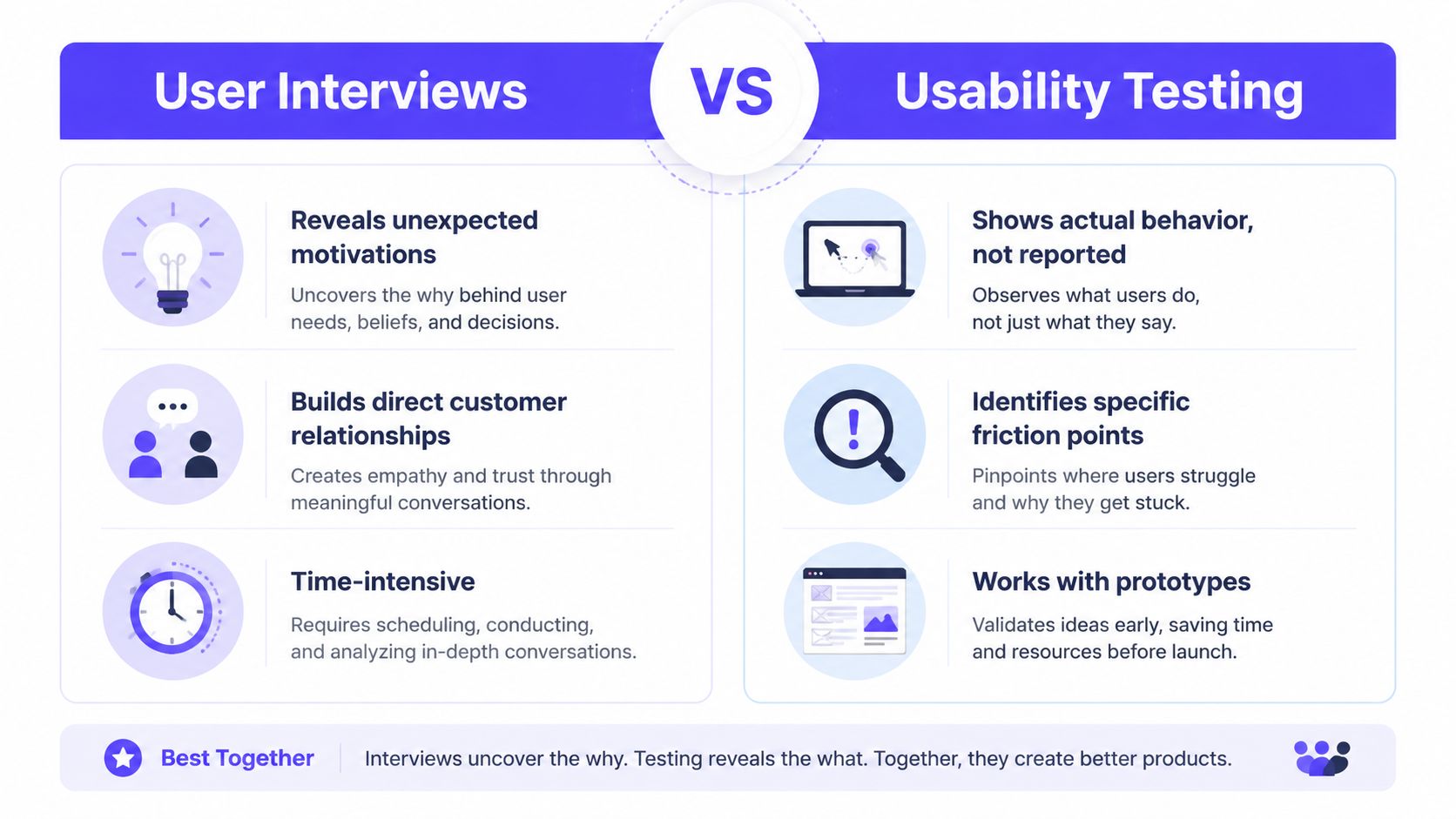
Usability testing reveals whether users can complete a specific task without your team explaining the interface. Give them a realistic goal, stay neutral, and watch where they hesitate, choose the wrong control, or abandon the flow.
A Fintech task should sound like, “Export your transaction history,” not, “Click the export button.” An AI SaaS task might be, “Find the last generated report and share it with a teammate.” These prompts test the user's ability to move through the product, not their ability to follow design instructions.
Do not rescue participants too quickly. If someone gets stuck, note what they tried, what they expected, and what language they used. Those observations often reveal a naming, hierarchy, or information problem that a design review would miss.
A successful task isn't proof that the interface is clear. Watch the path, the hesitation, and the recovery.
Nielsen Norman Group recommends 5 users for a qualitative usability test, while quantitative studies should use at least 20 users, and often 40 participants for most quantitative studies (Nielsen Norman Group's usability testing guidance). Use small rounds for finding problems, then use broader measurement when you need to compare performance.
From insight to shipped change
Rank findings by user impact and business risk. Fix the highest-impact issue in the interface, copy, navigation, or interaction model, then test the revised flow. For remote unmoderated work, tools such as UserTesting or Maze can help collect recordings, but they won't replace judgment during synthesis.
A practical test script can contain three tasks, a neutral introduction, and a short debrief. For more context on the method, see how user testing supports product decisions.
5. Card Sorting
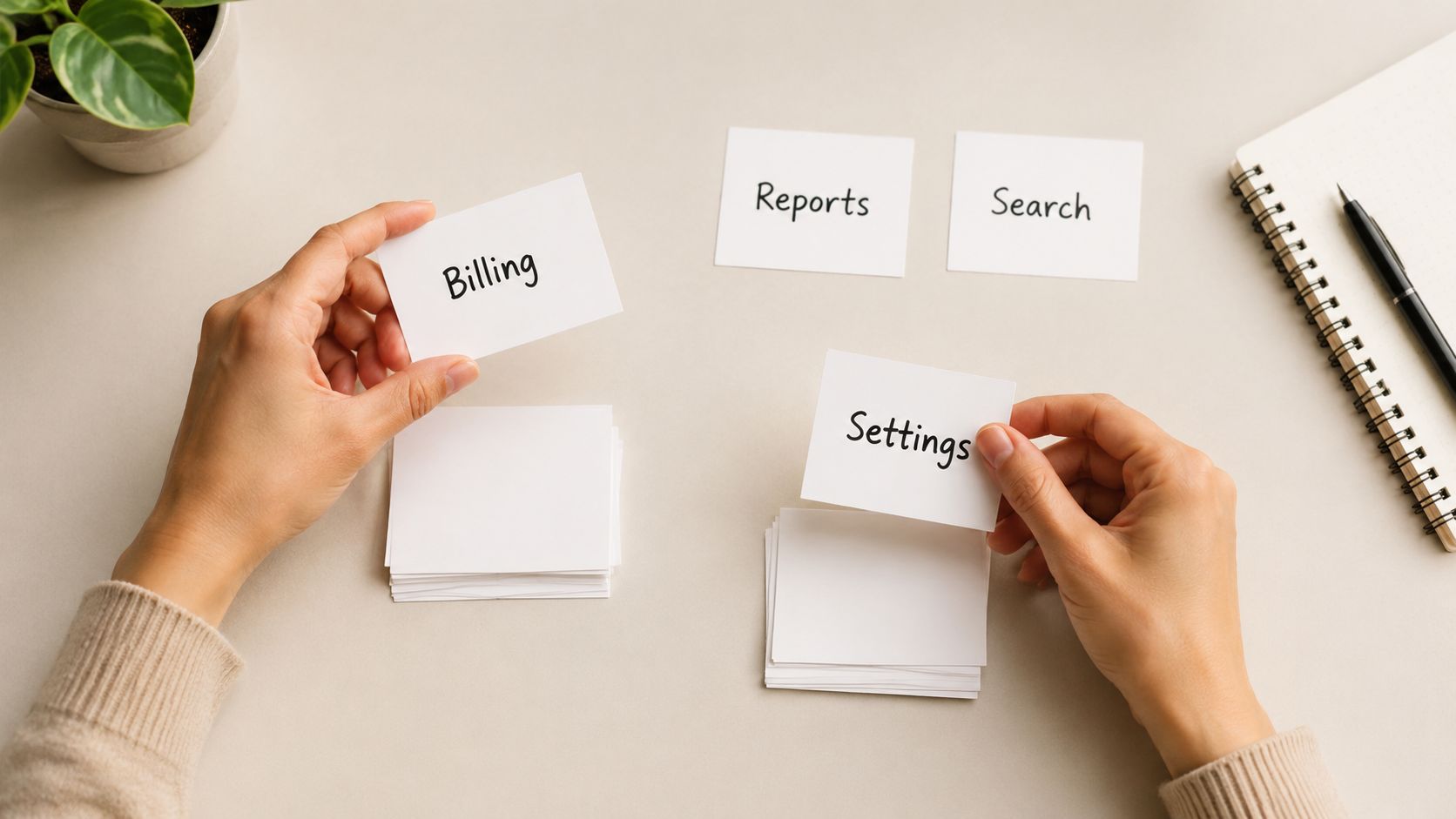
Card sorting helps decide how information should be grouped and labeled before navigation and page structure become expensive to change. Give participants cards representing features, content, settings, or tasks, then ask them to organize the cards in a way that makes sense.
Choose the sort type based on the decision. An open sort lets participants create and name groups, revealing the structure and language they expect. A closed sort provides predefined groups, showing whether a proposed navigation matches their mental model. Use open sorting when the structure is unclear, then closed sorting to check a specific direction.
A Fintech dashboard illustrates the trade-off. The team may group transaction cards by type because that matches the data model. Users may group them by status because status determines what they need to do. That difference can change navigation, page hierarchy, labels, and which information the brand emphasizes.
Run the exercise quickly
Prepare a focused card set using real product language. Recruit target users, not colleagues who already know the internal structure. Give one clear instruction:
“Group these items in the way that feels most natural.”
During the exercise, ask:
“Which item was hardest to place?”
“What would you call this group?”
“What did you expect to find together?”
A small, focused sort is easier to analyze than a card set that covers every possible feature. Look for repeated groupings, naming patterns, and cards that participants place inconsistently. Those signals point to findability or terminology problems, while product strategy still determines what belongs in the product.
Turn patterns into interface decisions
Convert repeated groupings into an information architecture proposal. Apply it to navigation, page titles, settings menus, and search categories. Then test the structure in a realistic task flow, such as asking users to find a transaction setting or locate a specific report.
Card sorting works best before visual design hardens. A validated structure can guide the interface system, while late menu changes may spread across pages, components, and frontend code.
6. Analytics and Behavioral Data
Analytics helps startups decide where to investigate next. It shows where behavior changes, while interviews and usability sessions explain the cause. Use both to connect observed behavior with a product decision.
Start with the path that matters to the business: signup, activation, core feature use, conversion, or retention. Define events consistently, then segment results by new versus returning users, plan type, acquisition source, or role. A blended result can hide a serious onboarding problem if experienced users succeed while new users leave.
A practical analysis cycle looks like this:
Find the signal: Identify unusual drop-off, low adoption, or repeated failure at a step.
Write the question: Ask what users may misunderstand, lack, or avoid.
Add evidence: Review recordings, feedback, or interviews for context.
Ship a focused change: Adjust the flow, copy, layout, interaction, or trust cues.
Check the same behavior: Compare results after release, using the original event definitions.
Set up measurement before launch for important workflows. Give events shared names and definitions, and make dashboards available to the people choosing roadmap priorities. Recordings and heatmaps can show where users click, hesitate, or stop. Handle consent, privacy, and data storage carefully.
From insight to shipped change
Use analytics to select the next research task and evaluate a released change. If users abandon a Web3 confirmation screen, the funnel identifies the step. A usability session can then reveal whether the control is hidden, the wording is unclear, or users need more security information. The shipped response might be a clearer warning, a revised layout, or a more trustworthy brand treatment.
For a startup, the output should be a decision, not a dashboard. State the behavior, likely cause, proposed interface change, and follow-up measure. Teams can also master product usage data with Halo AI within a broader measurement workflow.
7. User Surveys
Surveys help answer a narrow question at scale. Use them after interviews, usability sessions, or product data have identified an issue. They can measure satisfaction, compare segments, and test whether a finding extends beyond the original participants.
They are poor discovery tools when the problem is still unclear. Asking whether onboarding felt clear may miss a deeper issue, such as users misunderstanding the product's category. Reported attitudes also differ from observed behavior, so connect responses with events, completion data, or support evidence.
Start with one decision: which workflow, audience, or perception will change what the team ships? Keep the survey short and ask about a recent experience:
“How easy was it to export your data?”
“Which step caused the most difficulty?”
“What were you trying to accomplish?”
“What did you expect to happen?”
Use neutral wording and avoid abstract prompts. If you ask about satisfaction, include an open response so participants can explain their answer. Review responses by relevant segment, account type, or usage level. A positive rating alongside low feature use may indicate politeness, visual approval, or a mismatch between respondents and active users.
A fast execution template is: define the decision, select a recent workflow, recruit users who completed or abandoned it, send a short survey, then compare answers with behavior. Effort is low to moderate. Recruitment can use an in-product prompt, an email to recent users, or existing research participants.
For an AI SaaS product, ask whether users understand generated output well enough to review it. For a Fintech product, ask which transaction step feels least transparent, then compare answers with support tickets and completion data. Turn the result into a change to copy, layout, guidance, or trust cues, and repeat the same questions after release to check whether perception changed.
These community feedback collection practices can help structure questions and responses without turning the survey into an unfocused feature vote.
8. User Feedback Surveys and In-App Feedback
In-app feedback shows where users encounter friction while the experience is still fresh. A prompt after an action, a form inside the workspace, or a support conversation can reveal problems that scheduled research misses.
The value is context. A report submitted after a failed export may explain what the user expected, what they tried, and where they stopped. Support tickets also preserve users' own language, which can improve interface copy, help content, and product positioning.
Treat feature requests as evidence, not ready-made requirements. “Add a filter” may indicate that results are difficult to scan. “Add another notification setting” may reveal unclear controls or uncertainty about what the current settings do. The research task is to identify the underlying job before choosing a solution.
Turn incoming feedback into product decisions
Use a consistent tagging scheme so feedback can be compared over time:
Bug: The product behaves differently from its intended behavior.
Usability problem: The product works, but users struggle to understand or operate it.
Missing capability: The workflow cannot be completed without another function.
Request: A proposed solution that needs further investigation.
Trust concern: The user lacks confidence in what the product is doing.
Review tickets and in-product responses on a regular cadence. One complaint may reflect an isolated case. Several reports with similar wording form a pattern worth testing, while a sudden rise in related feedback can signal a product, retention, or reputation risk.
A rapid execution template is: define the decision, collect feedback from a recent workflow, tag the responses, compare themes with analytics or support volume, then test the leading explanation. Effort is low to moderate. Recruit through an in-product prompt, recent-user email, or existing research participants.
For an AI SaaS product, ask whether users can review generated output confidently. For a Fintech product, ask which transaction step feels least transparent, then compare responses with completion data. Ship the resulting change in copy, layout, guidance, or trust cues. Share the outcome with customers when appropriate, so feedback has a visible path into the product.
These community feedback collection practices can help structure questions and responses without turning the survey into an unfocused feature vote.
9. Diary Studies
Diary studies reveal how a product performs after the first session. Use them when repeated behavior, delayed friction, or changing expectations matter more than a single interview can capture. Participants record what they do, notice, and struggle with close to the moment it happens, reducing reliance on later recall.
Choose a specific behavior to observe. An AI SaaS tool may feel clear during onboarding, then become confusing when users review, edit, and share outputs with teammates. A Web3 platform may make wallet connection straightforward while creating repeated friction around multiple keys or security checks. Those patterns affect retention, trust, and the interface your team ultimately ships.
Set a narrow prompt and a predictable rhythm. Ask for a short entry after a relevant event or at a defined point each day. Written notes, photos, short videos, and voice recordings can all work, provided the format fits the behavior and does not create more effort than the study can support.
Design for real participation
Tell participants exactly what qualifies as an entry, how long it should take, and where to submit it. Check in every few days to answer questions and maintain participation. Recruit people who can complete the full study period, rather than relying only on enthusiasm during recruitment.
Review entries by behavior and sequence. Look for:
Trigger: What caused the user to open or avoid the product?
Context: What else was happening at that moment?
Friction: Where did the user stop, improvise, or ask for help?
Change over time: Did confidence, frequency, or expectations shift?
Consequence: What did the user do after the problem?
Follow-up interviews can clarify an entry without replacing the in-the-moment record. Plan for incomplete participation when recruiting. User Interviews' qualitative sample-size guidance also discusses accounting for no-shows and gives a practical interview-planning value of 12. Research summarized by Optimal Workshop reports that thematic saturation often occurs around 12 interviews for homogeneous groups, while more diverse audiences generally require more participants.
Turn repeated friction into a product decision
Map recurring moments to a concrete change: improve reminders, clarify progress states, set safer defaults, or strengthen the handoff between teammates. Then connect the proposed change to the observed consequence, such as abandonment, repeated support requests, or reduced use.
Diary evidence helps decide whether a polished onboarding flow continues to support the product after novelty fades. Ship the change where the recurring problem occurs, and use later behavioral data or feedback to check whether the experience improved.
10. A/B Testing
A/B testing compares live alternatives against a defined metric. It's useful when your team is debating a specific change and the product has enough behavior to produce a meaningful comparison. It isn't a substitute for discovering the problem or understanding why users struggle.
Define the metric before launch. A signup experiment might measure completed activation rather than a shallow click. A checkout experiment might measure completed purchase rather than button interaction. Test a clear variable, document the audience, and decide in advance what result would justify shipping the change.
For an early-stage SaaS product, focus on high-value flows such as signup, onboarding, checkout, or feature activation. Testing a low-use edge case can consume attention without producing a decision. If traffic is limited, prototype testing and usability testing may reduce more risk than a live experiment.
From result to product decision
A winning variation tells you which version performed better under the test conditions. It doesn't automatically explain the underlying user motivation or prove that the same pattern will apply everywhere. Pair the experiment with qualitative evidence when you need to generalize the learning.
Before changing a conversion flow, this guide to improving conversion rates can help frame the decision around the full experience rather than a single interface element. For AI SaaS, Web3, and Fintech teams, that broader view matters because trust, comprehension, and perceived risk can influence behavior as much as layout.
11. Validating Navigation with Card Sorting
Card sorting supports two different navigation decisions: discovering a structure and validating one. The method stays similar, but the prompt and output change depending on whether users create the categories or evaluate the categories your team proposed.
Use open sorting when the product structure remains uncertain. Ask participants to group features, content, or settings, then name each group. Their labels can reveal whether they organize information by task, status, ownership, or outcome instead of the internal categories used by your team.
Use closed sorting when proposed categories already exist. Ask users to place each item into the available groups and mark anything ambiguous. Review those uncertain items closely. They can expose labels that are too broad, overlapping sections, or terminology that does not match user language.
A focused sorting prompt
“Place each item where you'd expect to find it when trying to complete your work. If something doesn't fit, explain why.”
For a Fintech platform, users may group transactions by status before type because action matters more than classification. On an AI SaaS product, they may separate billing from account settings because the tasks have different goals and urgency. These findings can change navigation labels, settings architecture, support content, and dashboard emphasis.
From insight to shipped change
Recruit people who match the intended users, then turn the results into a navigation hypothesis. Test that hypothesis with realistic findability tasks before production. If users cannot locate a key feature, revise the category, label, or placement and retest.
Keep the cards, proposed categories, participant reasoning, and final decisions in a research repository. That record helps the team explain the shipped structure and revisit it as the product expands.
11-Method User Research Comparison
Method | Implementation complexity | Resource requirements | Expected outcomes | Ideal use cases | Key advantages |
|---|---|---|---|---|---|
User Interviews | Medium, moderator and guide required | 30–60 min sessions, 5–15 participants, recording tools | Rich qualitative insights, motivations, edge cases | Understanding core needs, feature validation, product direction | Reveals unexpected motivations and deep context |
Contextual Inquiry | High, on-site observation and coordination | Long sessions (hours/days), travel or remote set-up, few participants | Real workflow visibility, actual workarounds, environment constraints | Complex team workflows, integration and process discovery | Observes real behavior in context and uncovers hidden problems |
Prototype Testing & Concept Validation | Low–Medium, depends on fidelity | Low- to high-fidelity prototypes, 5–8 users per round, design tools | Concept viability, core flow feedback, early failure detection | Validating product direction, new features, design-engineering alignment | Fast, low-cost way to test ideas before engineering |
Usability Testing | Medium, test scripts and moderation or tooling | 20–45 min sessions, 5–8 participants, prototype/product access | Identifies usability friction, task completion rates, time-on-task | Interface changes, navigation checks, pre-launch validation | Shows actual interaction problems with measurable results |
Card Sorting | Low, simple setup and instructions | 15–30 participants recommended, online/in-person tools | Insights on user mental models and category structure | Designing navigation, organizing content, IA validation | Quantifiable agreement on labels and organization, inexpensive |
Analytics & Behavioral Data | Medium, instrumented tracking and dashboards | Tracking tools (GA, Mixpanel), implementation effort, ongoing analysis | Quantitative usage patterns, funnels, retention and cohort trends | Measuring impact of changes, identifying high-impact problems | Scales to all users and reveals large‑scale patterns over time |
User Surveys | Low, questionnaire design and distribution | Survey tools or in-app, can reach hundreds–thousands, low cost | Quantified sentiment and preference data | Measuring satisfaction, validating known problems at scale | Fast, cheap quantitative feedback from many users |
In‑App Feedback & Support | Low, embed feedback channels and triage | Feedback buttons, support tools, tagging, regular review time | Continuous reports of broken flows, feature requests, urgent issues | Prioritizing fixes, catching live problems, support-driven insights | Immediate, actionable feedback from users experiencing issues |
Diary Studies | Medium, longitudinal protocol and check-ins | 8–12 participants, incentives, multi-day/week entries, analysis time | Long-term usage patterns, contextual and time-based problems | Onboarding validation, recurring behavior, longitudinal adoption | Captures real-time longitudinal experiences missed by one-offs |
A/B Testing | Medium–High, experiment framework and stats | Experimentation platform, sufficient traffic, statistical analysis | Causal performance comparisons, measurable conversion lifts | Optimizing conversion, high-traffic flows, validating design hypotheses | Definitive metric-driven decisions that impact business KPIs |
Turn Research Into a Shipped Decision
Research becomes valuable when it changes a decision. A transcript, heatmap, survey result, or dashboard isn't the outcome. The outcome is a clearer product choice, a better interface, a stronger brand expression, or a frontend change that users can experience.
Start with one decision and a falsifiable question. “Should we build team approvals?” is too broad. “Can operations leads understand and complete an approval workflow without leaving the product?” gives the team something to investigate. “Do users prefer this?” is weaker than “Can target users find, understand, and complete the task?”
Then recruit people who face the problem. A convenient internal audience can help review wording, but it rarely represents the buyer, operator, or end user of an AI SaaS, Web3, or Fintech product. Match recruitment to the decision. If the issue affects administrators, don't rely only on individual contributors. If the issue affects new users, don't recruit only experienced customers.
Choose the lightest method that can answer the question:
Unknown problem: Use interviews, contextual inquiry, or diary studies.
Unclear direction: Use prototype testing.
Broken experience: Use usability testing.
Navigation uncertainty: Use card sorting, followed by a findability test.
Behavioral signal: Use analytics, recordings, or feedback to locate the issue.
Known question at scale: Use a focused survey.
Live alternative: Use A/B testing when the product has enough behavior to compare.
Mixed-method research usually produces a stronger decision than one source treated as proof. Pair interviews with analytics to connect reported needs to actual behavior. Pair prototype testing with usability testing to check both concept and execution. Pair in-app feedback with a focused survey to understand a recurring issue and assess how widespread it is.
A practical one-page research brief can keep the work decision-ready:
Decision: What will the team choose, change, stop, or ship?
Hypothesis: What do you believe is happening, and what evidence could disprove it?
Participants: Who experiences the problem, and why are they relevant?
Method: Why is this method appropriate for the decision?
Script or task: What exact prompt or scenario will participants receive?
Evidence: What did people do, say, or measure?
Trade-off: What remains uncertain, and what will the team not solve now?
Owner: Who turns the finding into a product or design action?
Next action: What will be prototyped, tested, shipped, or measured next?
Research operations deserve the same attention as method selection. One 2025 industry report found that 87% of researchers said method choice depends on the research question, while 74% identified time as a primary factor, and 83% tracked impact qualitatively rather than with stronger measurement infrastructure (User Interviews' State of Research Strategy). That combination creates a practical warning for small teams. Knowing the right method isn't enough if nobody can recruit, synthesize, document, and prove what changed.
Tooling is also fragmented. A 2026 survey reported that no research tool exceeded 13% adoption, while dedicated recruiting tools were used by 13.7% of designers (UX Tools' user research trends). A separate report noted that the average researcher uses about 13 different tools, which makes interoperability, consistent tagging, and lightweight synthesis more useful than chasing a single perfect platform.
AI can compress repetitive work, including transcription, interview moderation, and thematic grouping, but it shouldn't remove human review. Recent research guidance emphasizes clear AI standards, intentional human oversight, and centralized insights to preserve credibility (Maze's future of user research guidance). Use automation to increase throughput. Keep humans responsible for research framing, participant safety, interpretation, and the final product decision.
925 Studios can carry validated insight through product design, brand design, design systems, and frontend development. For an AI SaaS, Web3, or Fintech team, that means the finding doesn't stop in a research document. It can become a clearer workflow, a more credible product story, and polished shipped interface work from one creative partner.
925 Studios helps AI SaaS, Web3, and Fintech teams turn user research into product design, brand identity, design systems, and frontend development. If you're ready to move from interviews and usability findings to a clearer, shipped experience, visit 925 studios to discuss the product decision in front of your team.


Let’s keep in touch.
Discover more about high-performance web design. Follow us on Twitter and Instagram.

