
Difference Between TypeScript and JavaScript

Yusuf
Founder and lead designer at 925studios

You're probably in a familiar spot. Your team is building a product that has to look polished, work reliably, and survive more than one release cycle. Someone on the engineering side says, “We should use TypeScript.” Someone else replies, “JavaScript already runs the web. Why add complexity?”
That sounds like a developer preference debate, but it isn't. It affects how safely your team can ship, how painful hiring becomes, and how much hidden cleanup you'll pay for later.
For founders in AI SaaS, Web3, and Fintech, the difference between TypeScript and JavaScript matters most when the product stops being a prototype and starts becoming a company asset. A dashboard with role-based permissions, onboarding logic, billing, analytics, and API integrations has very different needs from a landing page or a throwaway MVP. Language choice shapes how that product evolves.
Table of Contents
Choosing Your Language JavaScript or TypeScript
The default has changed. As of 2026, over 80% of new JavaScript/TypeScript projects are choosing TypeScript, according to this TypeScript vs JavaScript comparison. For a founder, that matters less as a trend story and more as a hiring and maintenance signal. The market is telling you what scaling teams now consider normal.
If your product roadmap includes admin tools, customer-facing dashboards, billing logic, account states, or multiple frontend contributors, this choice shapes how much coordination your team needs to keep shipping. It also affects how fast new engineers understand the code they inherit, and how confidently product and engineering can make changes without breaking working flows.
A lot of teams underestimate this because early product work feels small. Then the app picks up complexity fast. The login flow expands, pricing changes, analytics events multiply, and frontend code starts carrying real business rules. The same thing happens when teams start developing web applications with microservices. Once multiple services and interfaces are involved, clarity around data contracts stops being optional.
There's also a product layer to this. Founders often think language choice only affects engineering speed. It also affects polish. When a team is fighting avoidable bugs, they spend less time refining onboarding, cleaning up edge states, or making sure every screen feels consistent. That's one reason it helps to understand the core parts of a website as a system, not just as pages. The frontend isn't decoration. It's where product logic becomes customer experience.
Practical rule: If the codebase needs to be shared, extended, or sold through trust, you're not choosing a syntax preference. You're choosing how disciplined your product can stay under growth.
The One Core Difference You Need to Understand
The whole difference between TypeScript and JavaScript starts with one idea, typing.
JavaScript is dynamically typed. TypeScript is statically typed. In plain English, JavaScript lets the shape of data stay loose until the code runs. TypeScript asks the team to describe that shape earlier, while writing the code.

Blueprint versus improvisation
A simple way to think about it is construction.
JavaScript is like remodeling a room while making decisions on the fly. You can move quickly because fewer things are locked in upfront. That flexibility is useful, especially when you're testing ideas fast. The downside is that you might discover a structural mistake late, after other work is already built on top of it.
TypeScript is closer to working from a blueprint. You define what a value is supposed to be before you pass it around the product. If the wrong kind of data shows up, the compiler flags it before the app ships. You do more thinking early, but you avoid a lot of cleanup later.
According to Sanity's explanation of TypeScript vs JavaScript, TypeScript is a statically-typed superset of JavaScript where variables require explicit type declarations like let x: number = 10, whereas JavaScript is dynamically-typed and determines variable types automatically at runtime without any syntax for type specification.
Why founders should care
This sounds technical until you connect it to product risk.
Say your SaaS dashboard expects a customer plan object with name, price, and features. In JavaScript, a missing field may not break anything until a user lands on the wrong screen, a checkout renders incorrectly, or a pricing card shows the wrong state. In TypeScript, the team can define that object shape upfront, and the code editor can warn when another part of the product uses it incorrectly.
That changes the quality of product work in a very direct way:
Fewer surprise states: Teams catch bad assumptions earlier.
Safer collaboration: Designers, frontend engineers, and backend engineers align around clearer data contracts.
Cleaner releases: Refactors are less likely to create weird regressions in parts of the app nobody remembered.
The strongest benefit of TypeScript isn't that it makes developers feel organized. It's that it makes product behavior more predictable when several people are changing the same system.
JavaScript still wins on freedom. If you need to hack together a quick internal tool, prototype an interaction, or test an idea before the code deserves structure, that freedom helps. But once the product becomes important, the lack of guardrails starts showing up in QA, release anxiety, and onboarding pain.
Side-by-Side Comparison for Founders
Founders don't need a language theory lesson. They need a clean view of what changes in the actual workflow. The table below focuses on the difference between TypeScript and JavaScript in terms of product consequences, not just syntax.
TypeScript vs. JavaScript At a Glance
Criterion | JavaScript | TypeScript | What It Means for Your Product |
|---|---|---|---|
Typing | Dynamic | Static | JavaScript gives engineers more freedom early. TypeScript adds constraints that help catch mistakes before release. |
Browser execution | Runs natively | Must be compiled to JavaScript first | JavaScript is simpler to start. TypeScript adds a build step but gives your team a safety check before shipping. |
Language structure | Flexible and lightweight | Adds stronger structure on top of JavaScript | TypeScript is better suited to products with many moving parts, shared components, and long lifespans. |
Data contracts | Often informal | Explicit and enforceable | TypeScript makes it easier to keep product behavior consistent across pages, components, and APIs. |
Team onboarding | Relies more on tribal knowledge | Code explains more of itself | New hires ramp faster when the codebase states what each function and object expects. |
Refactoring | Higher chance of hidden breakage | Safer change management | Product redesigns, navigation updates, and dashboard rewrites are easier to manage in TypeScript. |
Advanced features | Core JavaScript feature set | Supports interfaces, enums, and generics | TypeScript gives teams better tools for reusable systems and more consistent UI logic. |
Best fit | Small scripts, simple sites, early experiments | Complex apps, shared codebases, multi-developer teams | The more serious the product becomes, the more TypeScript starts paying for itself. |
What the feature gap means in practice
One practical difference is that TypeScript supports stronger modeling tools for complex products. According to GeeksforGeeks on the difference between TypeScript and JavaScript, TypeScript supports advanced object-oriented features not found in plain JavaScript, including interfaces for defining object shapes, enums for named constants, and generics for reusable type-safe components, making it ideal for complex enterprise projects.
That sounds abstract, but the use cases are not abstract at all.
Take a fintech app. You might have transaction states, user roles, verification levels, and payment methods appearing in different screens. If those values are loosely handled, teams start duplicating logic and inventing slightly different versions of the same thing. One screen says “pending,” another expects “in_review,” and a third fails without an explicit error because the state isn't what the developer assumed.
TypeScript helps reduce that drift because teams can define shared structures once and reuse them across the product. The same applies to AI SaaS dashboards where model outputs, usage limits, and workspace permissions show up in multiple flows.
A second difference is tooling. JavaScript can be written and run directly. TypeScript requires a compile step to turn .ts files into .js before the browser can use them. That adds workflow overhead, but it's also where the checks happen.
For founders, the trade-off is simple:
JavaScript lowers entry friction
TypeScript lowers scaling friction
Those are not the same problem. Early speed matters. So does surviving your own growth.
If your product depends on reusable UI, shared state, and multiple contributors, the better question isn't “Can JavaScript do this?” It can. The better question is “How expensive will this become when we need to change it six times?”
Impact on Your Team and Product Maintainability
The strongest case for TypeScript usually appears after the team is already under pressure. A new engineer joins. A PM wants a dashboard redesign. Marketing needs pricing logic changed across the site and app. Suddenly the question isn't whether the code works today. It's whether the team can change it safely next week.
How JavaScript and TypeScript change day-to-day work
In JavaScript, senior engineers can move fast because they carry a lot of context in their heads. They know which data shape is expected, which component has edge cases, and which utility function nobody should touch casually. That works until the team expands or deadlines compress.
TypeScript shifts more of that knowledge into the code itself. Function signatures, object shapes, and expected values become visible. A newer engineer doesn't have to guess as much. The codebase gives more guidance before mistakes reach a review or a release.
That's one reason design-heavy product teams benefit from stronger structure. When a company invests in an embedded design system, the goal isn't only visual consistency. It's operational consistency. TypeScript supports the same mindset on the frontend, clearer contracts, fewer one-off component behaviors, and safer reuse across the product.
Why maintainability shows up in product quality
Maintainability sounds internal, but users feel it.
When teams can refactor safely, they keep improving the product instead of freezing it in place. Navigation can evolve. Components can be cleaned up. Old flows can be replaced without everyone panicking about side effects. That tends to produce products that feel more coherent over time.
Here's where JavaScript often breaks down in growing startups:
Unwritten rules spread: Engineers learn by memory and Slack messages instead of from the code.
Refactors get avoided: Teams postpone cleanup because nobody trusts the blast radius.
UI inconsistency creeps in: Similar screens handle the same data differently.
TypeScript doesn't solve every code quality issue. A messy team can still write messy TypeScript. But it gives competent teams a much greater advantage. When product changes are frequent, that advantage matters.
The codebase is part of your product infrastructure. If it's hard to change, your roadmap slows down whether the team admits it or not.
The Truth About Performance
A common objection is simple. “TypeScript must be slower.”
That concern sounds reasonable, but it confuses development workflow with production runtime.
Runtime speed is not the deciding factor
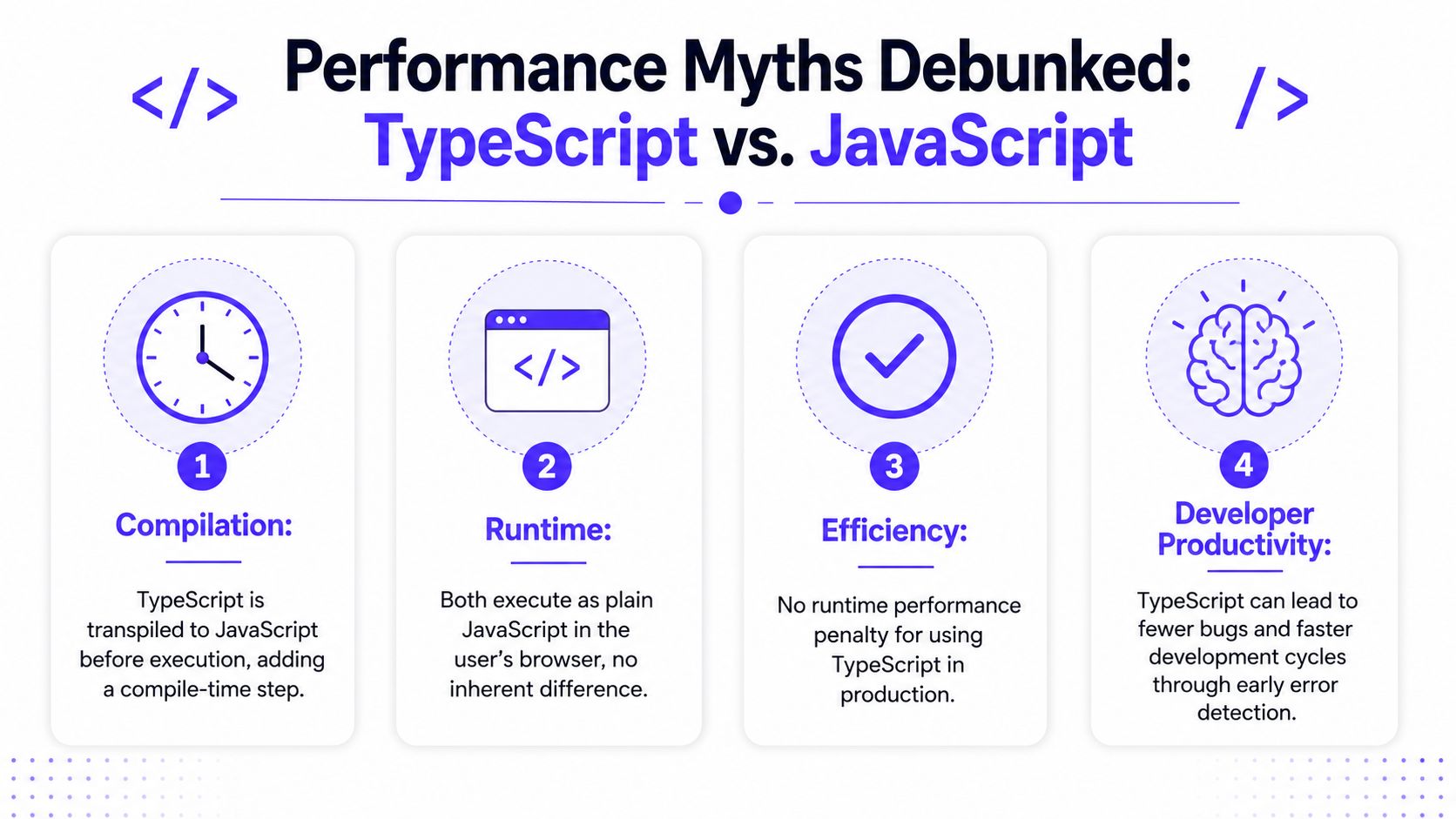
In production, TypeScript does not carry its type system into the browser. The types are erased during compilation. What the browser runs is JavaScript.
According to Wojciechowski's performance comparison, TypeScript and JavaScript deliver identical results, with a measured 0% difference in execution speed because TypeScript is completely erased during compilation into pure JavaScript. The same source notes that any cost shows up during development as a build step, not in runtime behavior.
For founders, the takeaway is straightforward. Choosing TypeScript will not make your product feel slower to users. Your SaaS dashboard, trading interface, or onboarding flow does not pay a runtime penalty because your team wrote types.
To ground that visually, this short video is useful:
The real cost is build-time friction
The trade-off is development time, not user-facing speed.
TypeScript adds a compile step. That means the team waits for checks before shipping code. In practice, that's not a product performance issue. It's a workflow decision. You're exchanging some developer friction for fewer bad assumptions making it into production.
There are edge cases and isolated benchmarks where small differences can appear in narrowly defined scenarios, but that's not how founders should evaluate the choice. If your app has enough complexity that reliability matters, the meaningful question is whether catching errors earlier saves more time than the compile step costs. In most serious product environments, it does.
A polished frontend depends more on state management, component design, rendering choices, network patterns, and disciplined implementation than on whether the team authored the code in JavaScript or TypeScript.
So if performance is the only reason someone is resisting TypeScript, that's weak ground. The better discussion is workflow maturity, team skill, and whether the product deserves stronger guardrails.
A Hidden Risk for Web3 and Fintech Startups
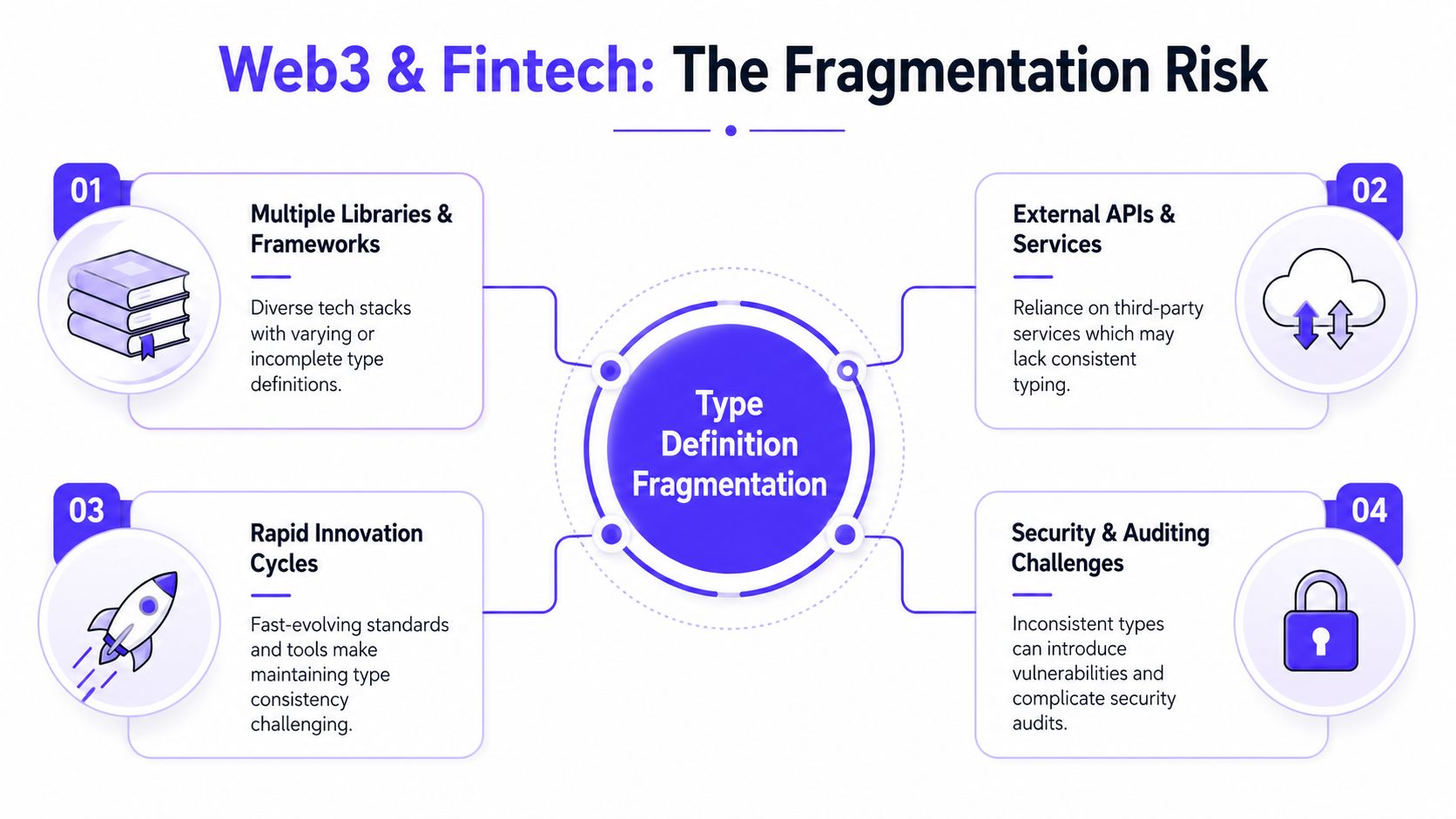
TypeScript is the safer default for most serious products, but Web3 and Fintech teams need to understand one problem that basic comparisons often ignore. The risk isn't just your own code. It's the typing quality of the libraries and SDKs your code depends on.
Where TypeScript can still fail you
In Web3 and Fintech, teams often rely on payment SDKs, chain interaction libraries, auth providers, analytics tools, and internal service clients all at once. If those tools ship inconsistent or outdated type definitions, your team can get a false sense of safety. The editor looks clean, the build passes, and then production reveals mismatches the type layer did not protect against.
That problem has a name, type drift.
According to EMB Global's comparison, in Web3 and Fintech, over 40% of runtime errors in production now stem from mismatched or outdated @types packages rather than logic bugs. That's a meaningful shift. The failure mode moves from “our team wrote bad code” to “our dependency layer described reality badly.”
This matters a lot in products built around wallets, token balances, transaction states, KYC flows, or financial account data. Those aren't forgiving interfaces. A small mismatch in expected values can ripple into incorrect UI states, confusing confirmations, or broken trust.
Teams operating in this space often need stronger ecosystem judgment, not just language familiarity. That's especially true in Web3 product environments, where frontend behavior is tightly coupled to fast-changing third-party tools.
What founders should ask their team
If you run a Web3 or Fintech startup, don't stop at “Are we using TypeScript?”
Ask sharper questions:
How do we validate third-party types: Does the team trust package definitions blindly, or do they verify critical paths?
Who owns dependency updates: Someone needs to monitor SDK changes and type mismatches before they leak into releases.
Where are the high-risk contracts: Payment flows, wallet actions, transaction states, and balance displays deserve extra scrutiny.
Strong TypeScript usage in Web3 and Fintech isn't about adding types everywhere. It's about knowing where types can lie.
This is not a reason to avoid TypeScript. It's a reason to use it with senior judgment.
The Final Verdict Which Should Your Startup Choose
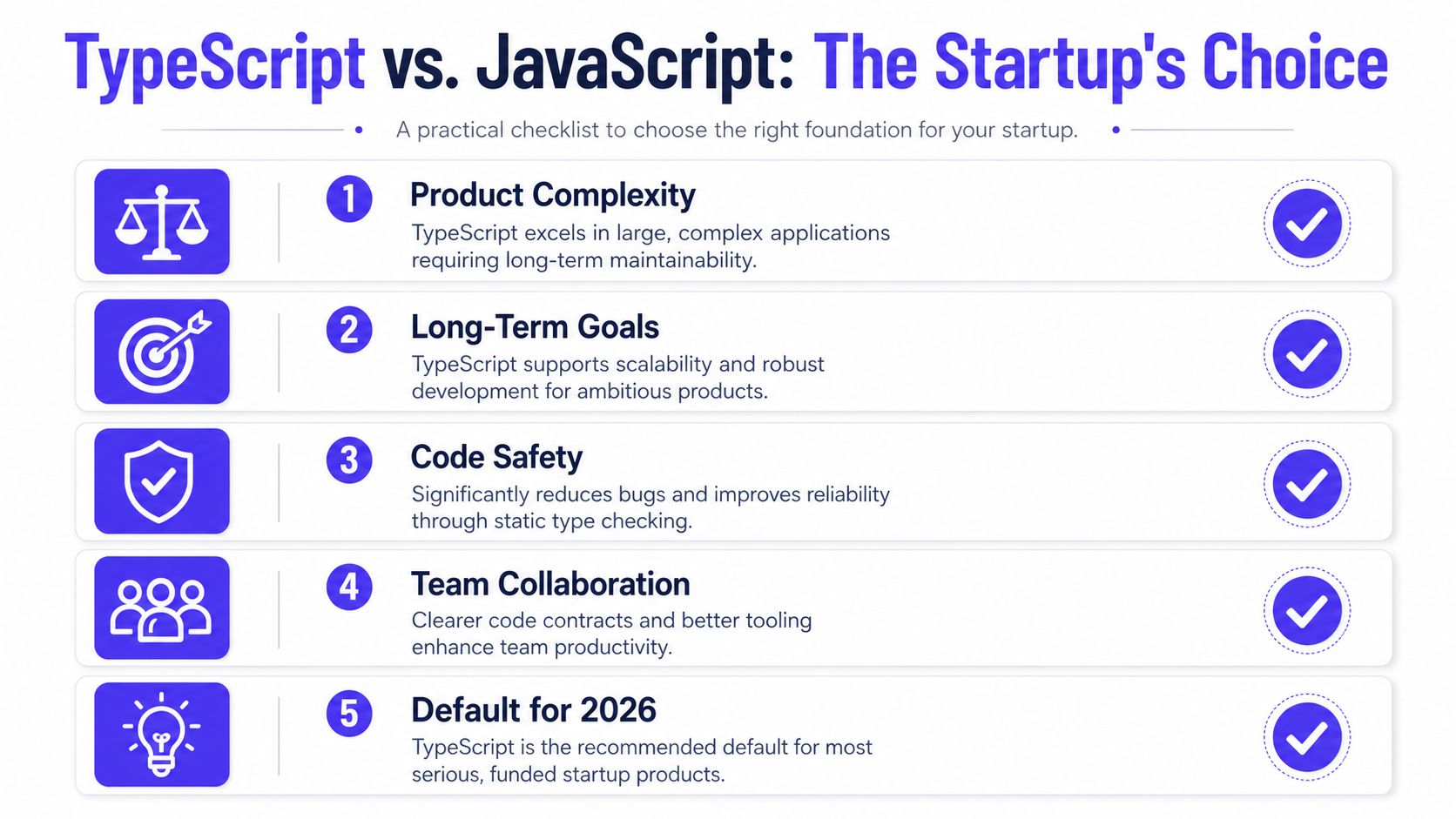
For most funded startups building a product they plan to scale, TypeScript is the right default.
That recommendation isn't based on trendiness. It comes from what happens when products become more complex, teams get larger, and frontend code starts carrying real business logic. At that point, JavaScript's flexibility becomes less of an advantage and more of a management burden.
When TypeScript is the right default
For AI SaaS startups, TypeScript is a strong fit. These products usually combine dashboards, data-heavy interfaces, permissions, billing, and fast iteration. The clearer contracts help teams keep the product understandable as features pile up.
For Web3 startups, TypeScript is also the right choice, but only if the team respects the fragmentation risk covered above. Wallet connections, smart contract interactions, and cross-library integration leave less room for sloppy assumptions. The language helps, but ecosystem discipline matters just as much.
For Fintech products, the case is even stronger. Trust is the product. If balances, transfers, account states, or verification flows behave unpredictably, users don't shrug and move on. They leave. TypeScript supports the kind of predictable implementation that financial interfaces need.
If you're exploring lighter build approaches before your product architecture hardens, it can also help to review options like the Goptimise platform for startups, especially when you're deciding which parts of the stack deserve custom engineering now and which parts can stay lean.
When JavaScript is still a reasonable choice
JavaScript is still fine in narrower situations:
Simple marketing sites: If the site is mostly content and light interactions, JavaScript is enough.
Temporary prototypes: If you're proving a concept fast and know the code will be replaced, TypeScript may be unnecessary overhead.
Tiny one-person experiments: A solo builder can move quickly in JavaScript if the project is small and disposable.
But that exception list matters. It's not the normal path for a funded startup building a serious product.
The cleanest founder-level rule is this. If the code is part of the business, use TypeScript. If the code is disposable, JavaScript is fine.
If you're building an AI SaaS, Web3, or Fintech product and need one partner who can shape the UX, tighten the brand, and ship the frontend, 925 Studios helps founders replace three hires with one senior creative partner, product designer, brand designer, and frontend developer, so the product doesn't just work, it feels ready for market.


Let’s keep in touch.
Discover more about high-performance web design. Follow us on Twitter and Instagram.

