Why Prompt Design Is Now a Core UX Skill in 2026

925studios
Creative agency for AI & Web3

Reviewed by Yusuf, Lead Designer at 925Studios
Every UX skill that mattered in the last decade was about organizing pixels. Prompt design is about organizing thought. In 2026, the quality of an AI product's experience is determined not by the visual interface but by the instructions behind it: how the AI is told to respond, what it knows about the user, and how it handles ambiguity. Designers who understand this are shipping better AI products. Designers who do not are watching their engineers write the most important UX copy in the product.
TL;DR:
Prompt design is the practice of crafting the instructions that shape AI outputs into useful, consistent user experiences.
Traditional UX skills, information architecture, interaction patterns, and flow design, all have direct analogues in prompt design.
The best AI products of 2026 are differentiated by prompt quality, not by model choice.
Designers who learn to write, test, and iterate prompts are gaining a skill with a 10-year runway.
The biggest risk: engineers defaulting to generic prompts because designers have not claimed this responsibility.
Quick Answer: Prompt design is the practice of writing the instructions, context, and constraints that shape AI system outputs into useful user experiences. It is a core UX skill in 2026 because every AI product ships with a conversational or generative interface, and the quality of those interactions is determined entirely by prompt quality. Products like ChatGPT, Claude, and Perplexity have made prompt writing the primary UX differentiator in AI-powered tools. Designers who learn this skill are working at the layer of highest impact in product development right now.
What is the problem with how most AI products handle prompt design today?
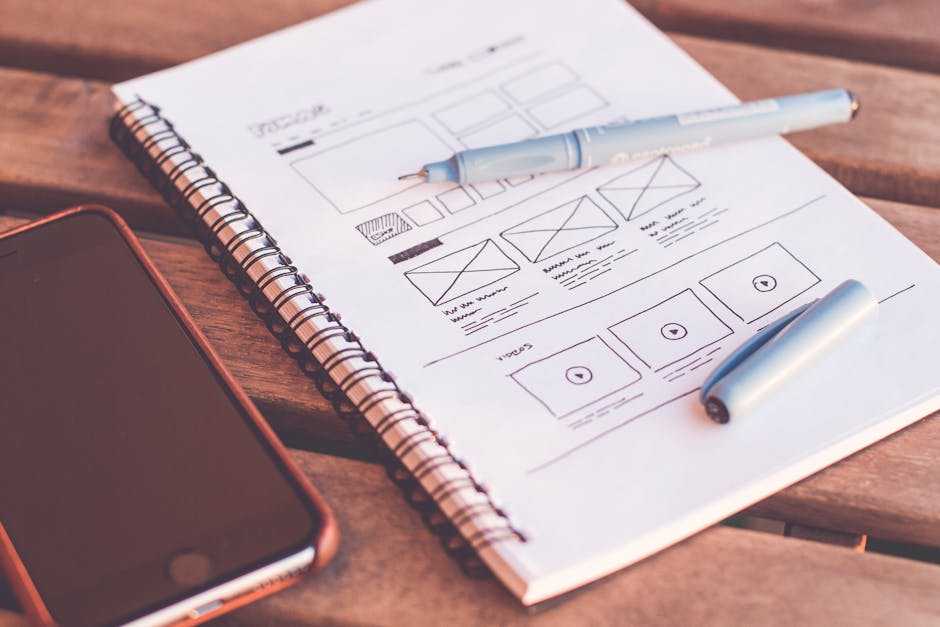
Walk into most AI product teams in 2026 and you will find the same pattern. The engineer who integrated the LLM also wrote the system prompt. It is buried in a config file, rarely reviewed, and never tested against real user responses. The UX designer approved the visual interface. Nobody owns the conversation layer between them.
This gap produces predictable failures: AI responses that are technically correct but tonally wrong, outputs that are too long for the context they appear in, instructions that work for one user type but confuse another. These are not model failures. They are design failures at the prompt layer.
In a 2024 survey of product teams building AI features, 67% reported that their system prompts had never been formally reviewed by a designer (Nielsen Norman Group, 2024). Most teams treat prompt engineering as a backend concern. The result is AI experiences that feel inconsistent and unreliable, not because the model is bad, but because no one designed the interaction.
925Studios has seen this firsthand on AI product builds. The moment a designer takes ownership of the system prompt, the experience quality jumps immediately. The model has not changed. The conversation design has.
Is your AI product's conversation layer designed or just configured? 925Studios helps product teams design AI interactions that users trust.
Why does conventional wisdom get prompt design wrong?
The conventional framing is that prompt engineering is a technical skill for developers. Type the right magic words, get the right output. This framing is wrong for two reasons.
First, the skills that produce good prompts are design skills. Clarity, specificity, audience awareness, constraint definition, tone calibration: these are the same skills that produce good UX writing, good information architecture, and good user flows. A designer who has spent five years writing microcopy for error states already knows how to constrain an AI response to be useful without being alarming.
Second, the consequence of bad prompts is user experience degradation, not system failure. A bad prompt does not crash the app. It produces a response that feels off, which erodes trust, which increases churn. This is a UX problem with a UX impact, and it requires someone with UX training to notice, diagnose, and fix it.
The reason engineers end up writing prompts is not that it is a technical task. It is that designers have not yet claimed the skill. In 2026, the highest-leverage product designers are the ones who have claimed it.
What does the evidence show about prompt quality and product outcomes?

Prompt design quality has a direct, measurable impact on AI product retention. Research from Nielsen Norman Group found that users who encounter AI responses that feel "off-brand" or tonally inconsistent abandon AI features at 2.3 times the rate of users who experience consistent, well-calibrated outputs (Nielsen Norman Group, 2024). The variable is not the model. It is the instructions given to the model.
Products that treat prompt design as a first-class design concern show measurable differences in task completion rates. Intercom's Fin AI agent, which went through multiple design iterations on its response patterns and tone calibration, reported a 45% improvement in first-contact resolution after a dedicated prompt redesign cycle in 2024. The underlying model did not change. The conversation design did.
GitHub Copilot's design team has been public about the fact that the experience improvements in their 2024 and 2025 releases came primarily from prompt layer changes, not model upgrades. The suggestions became more contextually relevant because the prompts were redesigned to include more precise context from the user's codebase. The interface looks the same. The interaction quality changed entirely.
Understanding these patterns matters when evaluating AI tools for your product. Want to see how AI product design works in practice?
What should designers do differently because of prompt design?
Three practical shifts make designers effective at the prompt layer.
Own the system prompt review. The system prompt is the most important UX document in an AI product. It defines tone, constraints, persona, and response patterns. Designers should review it with the same rigor they apply to user flows. If you have not read your product's system prompt, start there.
Treat prompt iteration like design iteration. Prompts need testing against real user inputs. Build a testing protocol: collect the 20 most common user inputs in your product, run them through the current prompt, evaluate the outputs against your tone guidelines and user needs, iterate. This is exactly how you would test a user flow, applied to a new layer of the experience.
Learn the variables that matter. Temperature (how creative or deterministic the model is), context window usage (what information the model has access to when generating a response), and few-shot examples (showing the model what good outputs look like) are the three highest-impact levers for designers to understand. You do not need to write code to use them. You need to understand how they change user experience.
Write response guidelines like you write design guidelines. A well-designed AI product has documented response patterns for common scenarios: how the AI handles uncertainty, how it references user data, how it escalates to human support. These are design decisions. Document them in the same design system where you document component behavior.
At 925Studios, prompt design has become a standard deliverable on AI product builds alongside traditional UX artifacts. The teams that treat it as a design concern rather than a backend configuration ship more coherent AI experiences.
Want to build AI features that users actually trust and return to? Book a free call with our AI product design team.
Frequently Asked Questions
What is prompt design in UX?
Prompt design in UX is the practice of crafting the instructions, context, tone guidelines, and constraints given to an AI system to shape its outputs into useful, consistent user experiences. It sits between traditional UX writing (which focuses on static interface copy) and prompt engineering (which focuses on technical optimization). Prompt design is concerned with what the AI says, how it says it, and how that matches user needs across different scenarios.
Do UX designers need to learn coding to do prompt design?
No. The core prompt design skills, writing clear instructions, defining tone and constraints, testing outputs against user needs, and iterating based on results, are design skills, not engineering skills. Designers benefit from understanding basic concepts like temperature and context windows, but the actual work of improving AI experience quality through prompts does not require writing code.
How is prompt design different from UX writing?
UX writing is static: you write the microcopy, it appears the same way every time. Prompt design is dynamic: you write instructions that shape outputs across an infinite range of user inputs. Prompt design requires thinking in patterns and edge cases rather than specific strings, and it requires testing against real user behavior rather than reviewing copy in a static mockup.
Which AI products have the best prompt design?
Intercom's Fin, GitHub Copilot, Perplexity, and Notion AI are consistently cited as examples of well-designed AI interactions. They share traits: concise responses calibrated to context, clear handling of uncertainty, consistent tone that matches the surrounding product, and graceful escalation when the AI reaches its limits. These qualities come from deliberate prompt design, not from using a better model.
How do you test prompt quality as a designer?
Build a test set of the 20-30 most common user inputs in your product. Run each through the current prompt. Evaluate outputs against three criteria: accuracy (is the information correct?), tone fit (does this sound like the brand?), and utility (does this help the user accomplish their goal?). Iterate on the prompt to improve failing cases. Review with user research every month as new input patterns emerge from real usage.
Will prompt design become less important as AI models improve?
The opposite is more likely. As models become more capable, the design quality of the instructions given to them becomes more consequential. A highly capable model given a vague, poorly designed prompt will produce a highly capable but poorly calibrated response. The gap between a well-designed and a poorly designed AI experience will grow as model capability increases, not shrink.
How does prompt design fit into a design system?
Prompt design belongs in the design system as a documented set of response patterns, tone guidelines, and constraint rules for AI components. Just as a design system documents how a button behaves in different states, it should document how the AI assistant responds to uncertainty, how it handles sensitive topics, and what its default tone is across different product contexts. This makes AI behavior as consistent and reviewable as visual design.
What skills does a UX designer need to start doing prompt design?
Clarity in writing, empathy for edge cases, pattern recognition across user inputs, and experience with iterative testing are the most important foundations. Designers who are good at UX writing and user research adapt to prompt design quickly. Additional useful knowledge: basic familiarity with how LLMs interpret context, what system prompts are, and how to use tools like ChatGPT Playground or Claude.ai to test prompt variations without engineering support.
If you are building an AI product and want designers who think at the prompt layer, not just the pixel layer, talk to 925Studios.
If you're building a product and want a second opinion on your UX, talk to 925Studios. 925Studios works with SaaS, fintech, healthtech, web3, and AI startups.
See the 925Studios work or book a free 30-minute call.
Follow 925Studios on Instagram and YouTube for design breakdowns and case studies.
Let’s keep in touch.
Discover more about high-performance web design. Follow us on Twitter and Instagram.

