
SaaS UX Audit Checklist: 30 Things to Check Before Redesign (2026)

925studios
Creative agency for AI & Web3

Reviewed by Yusuf, Lead Designer at 925Studios
Most SaaS redesigns start with the wrong assumption: that the problem is visual. Seventy percent of users abandon signup flows due to friction or confusion, not because the palette looks dated. A SaaS UX audit checklist finds the actual blockers. Running one before redesign is what separates a successful launch from a rebuild that feels different but converts exactly the same.
TL;DR:
A SaaS UX audit is a systematic review of your product's usability, flows, and friction points before committing to a redesign.
This checklist covers 30 items across six categories: first impressions, navigation, core product experience, conversion flows, trust signals, and performance.
Skip the audit and you risk spending months redesigning surfaces that aren't causing your drop-off.
A structured audit typically takes two to five days and delivers a prioritised fix list your team can act on immediately.
The highest-impact items are usually in onboarding and conversion flows, not visual polish.
Quick Answer: A SaaS UX audit checklist should cover six areas: first impressions and onboarding, navigation and information architecture, core product flows, conversion and upgrade paths, trust and credibility signals, and accessibility and performance. Thirty checklist items across these categories will surface the highest-impact friction points before you commit to a full redesign. Standard tools include Hotjar for heatmaps, Amplitude for funnel data, and Maze for usability testing.
Why does a SaaS UX audit matter before you redesign?

A redesign without an audit is a guess dressed up as a project plan. You are committing three to six months of engineering and design effort to changes based on instinct, stakeholder preference, or competitor envy, not on evidence about what is actually stopping users from converting or returning. The products that emerge from evidence-based redesigns move metrics. The ones that emerge from gut-feel redesigns look different but perform identically.
A B2B analytics SaaS that ran a structured UX audit before redesigning its onboarding saw trial-to-paid conversion jump from 28% to 41% within twelve weeks, simply by acting on the audit's prioritised recommendations (Desisle, 2024). That is a 46% lift without a visual overhaul. The product looked similar. The flow worked better. The team saved months of engineering time that would have gone into a cosmetic redesign that would not have moved the number they needed.
We've run audits before every redesign engagement for five years. The pattern is consistent: around two thirds of the real friction lives in flows, microcopy, and error states that look fine on a static screen. You only find them by walking through the product with fresh eyes and structured criteria.
Not sure where your product is losing users? Get a free UX audit from 925Studios.
A well-executed audit gives you three things a redesign brief can't: a prioritised list of what's actually broken, data to align stakeholders without subjective arguments, and a baseline to measure improvement against after you ship. The checklist below covers everything that matters.
What should a SaaS UX audit checklist cover?
Thirty items, six categories. Work through each category in order. The first three deal with structure and comprehension. The last three deal with conversion and trust. For each item, rate it as working, needs improvement, or broken, and note one specific observation. That note is what makes the audit actionable instead of abstract.
Category 1: First Impressions and Onboarding (Items 1-6)
1. The five-second homepage clarity test. Can a first-time visitor state what your product does and who it is for within five seconds? Show your homepage to someone unfamiliar with your product. Ask them to say aloud what they think the product does. If the answer includes the word "something," your value proposition is failing. Linear, Notion, and Vercel all pass this test because their headlines are product-specific, not category-generic.
2. Time to first value. How many steps does a new user go through before they experience the core value? Count every screen: signup, email verification, profile setup, team invite, empty state, first action. Each step is a potential exit. Amplitude found that users who activate a core feature within their first session retain at dramatically higher rates than those who don't. Map your own path and count the gates.
3. The empty state experience. What does a user see on day one when there's no data in the dashboard? A blank table with no guidance is one of the most common activation killers in SaaS. Products like Intercom, HubSpot, and Loom solve this with onboarding tasks, sample data, or interactive demos that put value in front of the user before they have any of their own content to look at.
4. Progress indicators in multi-step flows. If your onboarding has three or more steps, do users know where they are? A progress bar, a step counter, or even a numbered heading ("Step 2 of 4") reduces abandonment by setting expectations. Check whether your onboarding communicates progress or feels like an open-ended form with no visible finish line.
5. Signup friction audit. Count the required fields in your signup form. For B2B SaaS, the benchmark is three to five fields maximum at sign-up. Every additional required field before users reach value cuts completion rates. Cross-reference with Hotjar heatmaps or FullStory recordings to see where users pause, backtrack, or drop. Fields that seem necessary during product planning often look different when you watch real users abandon them.
6. First email relevance. What is the first automated email a new user receives? Review the subject line, timing, and whether the call to action maps to where the user actually left off in the product. A generic "Welcome to [Product]" with a link to the homepage is a missed activation opportunity. Loom, Notion, and Superhuman all personalise first emails to user behaviour, routing users back into the specific feature they started exploring.
Category 2: Navigation and Information Architecture (Items 7-12)
7. Primary navigation audit. Does your sidebar or top nav reflect the order in which users actually access features, or the order in which features were built? Open your analytics and rank pages by visit frequency. Then check whether the nav order matches. A mismatch means users hunt for what they use most, every single session, which compounds into daily friction that erodes retention over months.
8. Search functionality. If your product has more than ten distinct content items, does it have working search? Test the search with common queries. Does it return relevant results on the first attempt? Products like Linear and Figma treat search as a primary navigation mode, not a fallback. When search fails, power users lose the fast path they depend on.
9. Breadcrumb and back navigation. Can users reliably navigate backward without using the browser's back button? Test this in nested flows: drill four levels into your product and then try to return to the top. Confused navigation in complex SaaS products is a common source of support tickets that look like product questions but are actually structural navigation failures.
10. Settings discoverability. Where are your account settings, billing, and team management pages? Try to find them in under three clicks with no prior knowledge of the product. Settings buried under avatar menus or secondary sidebars create friction that directly impacts expansion revenue, because users who can't find the invite team button don't invite their team.
11. Mobile navigation. If any portion of your users are on mobile, test the complete navigation on a phone without any familiarity with the desktop layout. Check tap target sizes (minimum 44 by 44 pixels), scroll behaviour on nested menus, and whether any features become completely inaccessible on smaller viewports. Many B2B SaaS products are built desktop-first and silently break at mobile sizes.
12. Error state navigation. What happens when a user hits an error? Check your 404 pages, validation errors, and API timeout states. Each should offer a clear path forward, not a dead end. Products that handle errors well, like Stripe and Vercel, use error states to guide users toward resolution. A dead-end error page on a paid SaaS product signals instability.
Category 3: Core Product Experience (Items 13-18)
13. Feature discoverability. List your product's five most valuable features. Now ask: can a new user find all five without reading the documentation? Use session recordings to watch how users explore on their first three sessions. Features discovered late, or never, are retention liabilities. If your best feature requires a tutorial to find, it has an IA problem, not a tutorial problem.
14. Loading and skeleton states. Time your product's slowest screens. For anything that takes more than 400ms to load, is there a loading indicator or skeleton UI? Perceived performance matters as much as actual performance. Amplitude, Linear, and Figma all invest in skeleton screens because blank white space signals instability to users even when the actual load time is acceptable.
15. Inline help and tooltips. For your three most complex features, is there inline guidance? Check whether tooltips are present, whether they activate on hover or click, and whether the copy is actually helpful or just repeats the button label. Intercom's product is a useful benchmark: help is embedded at the point of use, not locked in a separate knowledge base behind three navigation levels.
16. Data visualisation clarity. If your product shows charts, tables, or dashboards, check whether a user can interpret the data correctly on first view. Run a five-second test: show a key dashboard screen to someone unfamiliar with the product and ask what the most important number is. If they can't answer correctly, the visual hierarchy needs work, not the data itself.
Want to see how this pattern plays out in practice? Explore the 925Studios case studies.
17. Keyboard accessibility. Can power users operate your core flows entirely via keyboard? Tab order, focus states, and keyboard shortcuts matter for B2B products where users spend hours in the interface daily. Check whether focus indicators are visible and whether tab order matches visual reading order. Products like Linear have built entire communities around keyboard-first workflows.
18. Responsive behaviour at breakpoints. Test your product at 1280px, 1440px, and 1920px widths. B2B SaaS users work across multiple monitor sizes. Tables, sidebars, and modals often break at edge-case widths that your team's standard monitor never hits. A product that silently breaks at 1366px (one of the most common laptop resolutions) is losing users who never report the issue.
Category 4: Conversion Flows and Friction (Items 19-23)
19. Upgrade flow audit. Walk the complete upgrade path from free to paid, or from a lower tier to a higher tier. Count the clicks. Check whether pricing is communicated clearly before you hit the payment step. Check whether the confirmation state tells users exactly what they just activated. Drop-off in upgrade flows is pure revenue loss, and it's one of the most frequently neglected audit areas.
20. Paywall positioning. When a user hits a feature limit or paywall, what do they see? A generic "Upgrade to Pro" button with no context is less effective than a wall that shows the specific value the user will unlock. Products like Notion and Figma contextualise their paywalls: "You've used 5 of your 5 free pages. Upgrade to add unlimited pages." Context converts. Generic prompts don't.
21. Form validation patterns. Check all forms in your product, not just signup. Validate that errors appear inline, at field level, not as a page-level message after submission. Validate that error messages tell users what went wrong and how to fix it, not just that something is invalid. "Email already in use, sign in instead" is better than "Invalid email." The fix is often one line of copy.
22. Checkout and payment flow. If your product handles its own payment, run through the complete billing flow. Check whether credit card fields are formatted correctly, whether your payment provider's error messages are handled gracefully, and whether the post-purchase confirmation is clear about what happens next and when. A confusing confirmation state creates immediate support tickets.
23. Trial expiry communication. If you offer a free trial, audit the entire email sequence leading to expiry. Is the timing clear? Is the conversion CTA contextual to what the user actually used during the trial? Opt-out trials (those requiring a credit card) convert at 48.8% versus 18.2% for opt-in trials (Artisan Growth Strategies, 2026), but the email sequence determines whether opt-in users ever convert at all.
Category 5: Trust and Credibility Signals (Items 24-27)
24. Social proof placement. Where are your testimonials, client logos, or case study links relative to your upgrade CTA? Social proof placed immediately before a decision point outperforms proof placed on a dedicated page users have to navigate to. Check this on both your marketing site and within the product itself, particularly on the upgrade or billing page where trust matters most.
25. Security and compliance signals. For B2B SaaS, check whether your product surfaces trust signals at decision points: SOC 2 badge near the billing form, GDPR notice near data integrations, uptime link in the footer. These signals reduce the cognitive load of trusting a new vendor with sensitive business data. Absence of visible security signals reads as absence of security to a risk-aware buyer.
26. Support accessibility. How many clicks does it take to reach a human? Test the path from inside your product to a live chat, a support ticket, or a contact option. Products where support is buried lose users who hit a blocker and don't know where to turn. Intercom, Front, and Help Scout are products built around making support visible, because visible support reduces churn before it starts.
27. Brand consistency check. Review your product UI alongside your marketing site and any transactional emails. Do the fonts, colours, tone, and component styles align? A product that looks different from its marketing site creates a trust gap at the moment of conversion, when the user transitions from prospect to paying customer and expects consistency with what they were sold.
Category 6: Performance and Accessibility (Items 28-30)
28. Core Web Vitals. Run your marketing site and key product screens through Google PageSpeed Insights. Check Largest Contentful Paint (under 2.5 seconds), Cumulative Layout Shift (under 0.1), and Interaction to Next Paint (under 200ms). These are ranking signals and user experience signals simultaneously. A slow loading product communicates technical debt before the user has read a single feature.
29. Colour contrast compliance. Check text against background across your key screens using a contrast checker. WCAG AA requires a 4.5:1 ratio for normal text and 3:1 for large text. Contrast failures are one of the most common accessibility gaps in SaaS products, and they disproportionately affect users on non-calibrated monitors or in bright ambient light, which is most laptop users in daylight.
30. Cross-browser and cross-device testing. Test your product in Chrome, Safari, and Firefox. Test on both Mac and Windows. Safari handles CSS rendering differently from Chrome, and many SaaS products have silent visual regressions in Safari that the team never catches because developers default to Chrome. A product that breaks in Safari on iOS loses a significant share of mobile B2B users.
What are the most common SaaS UX audit mistakes?
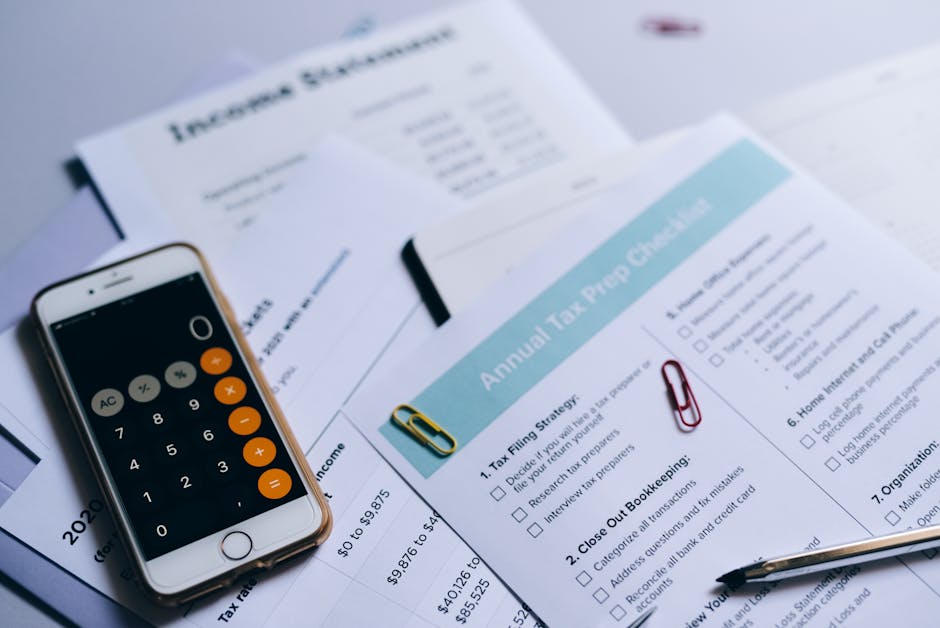
The most expensive mistake is treating the audit as a visual review. Teams walk through screens looking for things that look off and miss the structural issues that are actually causing drop-off. A SaaS UX audit needs quantitative evidence alongside the heuristic review: funnel analytics, session recordings, and heatmaps show you where users are dropping out, and the checklist walk-through explains why. One without the other gives you an incomplete picture that leads to incomplete fixes. According to arise GTM's research, the highest-impact SaaS UX findings almost always surface in flow transitions, not in visual design decisions.
Worth saying plainly: most SaaS teams audit the features they're proud of and underinvest in auditing the flows users never finish. Your activation funnel, your upgrade path, and your error states are where the real drop-off happens. These are rarely the first things design teams review because they're not interesting to build or look at. They're also the places where fixing one thing has a measurable and immediate impact on revenue.
The second common mistake is auditing without a clear success metric. If you don't know what you're trying to move, you'll generate a long list of UX improvements with no way to prioritise them. Before starting the audit, define the one number: trial-to-paid conversion, day-7 retention, or feature activation rate. Everything in the audit should be evaluated against its probable impact on that specific number. A finding that has no plausible connection to your target metric goes to the backlog, not the sprint.
The third mistake is treating the audit output as a design brief for the entire product. An audit is a prioritisation tool. Fix the five to ten highest-impact items first, measure the results, and then decide what to address next. A 30-item checklist does not mean a 30-item redesign scope. The teams that get the most value from a UX audit are the ones that act on three findings in the first two weeks, ship them, and measure the delta before touching anything else.
What are the next steps after a SaaS UX audit?
Once you have your checklist findings, group them into three buckets: quick fixes (under one day of engineering), medium changes (one to five days), and structural issues that require larger redesign scope. Quick fixes should ship within two weeks of the audit. Medium changes within thirty days. Structural issues go into a roadmap with dependencies mapped so they don't block the faster wins.
For each finding, write a one-sentence hypothesis: "If we [change X], then [metric Y] will [improve] because [reason Z]." This forces the team to connect the fix to a measurable outcome and gives you a framework for post-launch validation. Without the hypothesis, improvements become invisible in the data. With it, you can tell a clear story to stakeholders about what the audit returned on its investment.
Run session recordings again six weeks after shipping the quick fixes. Compare conversion and retention against the baseline you captured at the start of the audit. The delta is the return on the audit investment, and it is usually significant enough to justify the next audit cycle before any major feature work begins.
When we audit products at 925Studios, the most consistent finding is that the core visual design is fine but the transition between marketing site and product feels like a different team made each. That trust gap costs conversions at the exact moment the user is deciding whether to commit. It's fixable, it takes one to two weeks, and it's almost never the first thing teams look at when they decide to redesign.
Need help working through your audit findings? Book a free 30-minute call with the 925Studios team.
Frequently Asked Questions
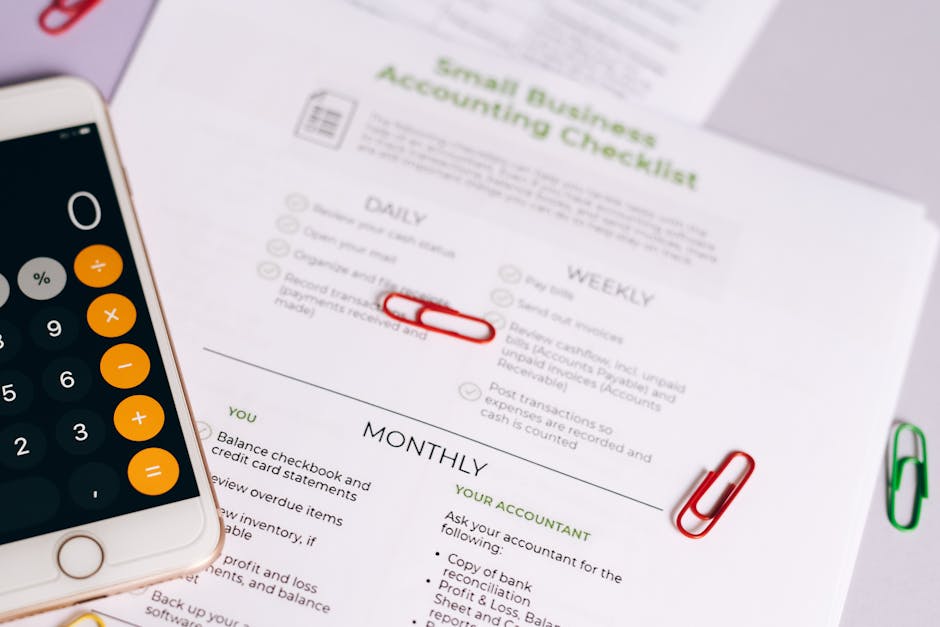
What is a SaaS UX audit checklist?
A SaaS UX audit checklist is a structured list of criteria used to evaluate the usability, clarity, and conversion effectiveness of a software product. It covers areas like onboarding, navigation, core flows, conversion paths, trust signals, and accessibility. Running through the checklist systematically surfaces friction points that analytics alone don't reveal, because analytics tell you where users drop off but not why the drop-off is happening.
How long does a SaaS UX audit take?
A heuristic UX audit using a structured checklist typically takes two to five days for a focused product scope. Adding quantitative research, such as session recording analysis and funnel review, adds another two to three days. A full audit covering the marketing site, onboarding, core product, and conversion flows for a mature SaaS product can take one to two weeks depending on product complexity and the number of user personas being evaluated.
When should I run a UX audit versus a full redesign?
Run a UX audit before committing to a redesign. The audit's output tells you whether a redesign is actually necessary or whether targeted improvements to flows and microcopy would move the metrics more efficiently. Many teams run an audit and discover that a visual redesign would be lower impact than fixing two or three broken flows. A redesign without an audit is spending six months of budget on the wrong problem.
What tools do I need for a SaaS UX audit?
The core toolkit includes Hotjar or Microsoft Clarity for heatmaps and session recordings, your product analytics platform (Amplitude, Mixpanel, or PostHog) for funnel data, and Maze or Lookback for usability testing. For accessibility, the WebAIM contrast checker and the axe browser extension cover most needs without requiring specialist tools. The checklist itself requires no special tooling, just systematic time with the product and someone who hasn't spent the last year staring at it.
How do I prioritise findings from a SaaS UX audit?
Prioritise by two dimensions: frequency and severity. Frequency is how often users encounter the issue. Severity is how significantly it blocks their progress. A friction point that 80% of users hit during their first session is higher priority than a confusing settings page that 5% of users visit monthly. Map your findings on a two-by-two grid with frequency on one axis and user impact on the other. Fix the top-right quadrant first, before any visual work begins.
How much does a professional SaaS UX audit cost?
A professional SaaS UX audit from a specialist agency typically costs between $3,000 and $15,000 depending on scope, product complexity, and whether the agency includes user testing alongside the heuristic review. Freelance UX consultants charge $500 to $2,500 for a basic heuristic audit. The ROI is typically measurable within sixty days. A one-point improvement in trial-to-paid conversion on a $10,000 MRR product returns more than the audit cost in the first month.
Can I run a UX audit internally or do I need an agency?
Internal teams can run the checklist effectively if they commit to using fresh eyes, meaning people who haven't been looking at the product daily for months. The risk with internal audits is familiarity bias: team members skip steps because they know what the product is trying to do and fill in gaps the user would never fill. An external reviewer brings no assumptions. The most effective approach is often an internal audit using this checklist followed by a focused external review of the top three friction areas identified.
What is the difference between a UX audit and a CRO audit?
A UX audit evaluates the entire product experience against usability and design best practices across every screen and flow. A CRO (conversion rate optimisation) audit focuses specifically on the paths that lead to a conversion event: signup, upgrade, or checkout. There is significant overlap between the two. A UX audit is broader and appropriate before a redesign. A CRO audit is narrower and appropriate when you have a specific conversion metric to move within a defined timeframe and budget.
Still buying design as a block of monthly hours against a review call every two weeks? 925Studios prices on active requests, ships a walkthrough every 24 to 48 hours, and works inside the stack you already run.
If design at your company is still bought as a block of monthly hours against a fortnightly review call, talk to 925Studios. Engagements start at $4,000, run inside the tools your team already uses, and open with a risk-free 7-day trial.
See the 925Studios work or book a free 30-minute call.
Follow 925Studios on Instagram and YouTube for design breakdowns and case studies.


Let’s keep in touch.
Discover more about high-performance web design. Follow us on Twitter and Instagram.

