
How to Run a UX Audit for Your SaaS Product: Step by Step (2026)

925studios
Creative agency for AI & Web3
How to Run a UX Audit for Your SaaS Product: Step by Step
Reviewed by Yusuf, Lead Designer at 925Studios
A single UX audit can surface the exact friction points killing your SaaS product's activation, retention, and revenue. Products that run structured audits routinely see 15-25% improvements in conversion within a quarter. The process is not mysterious. It is a repeatable system that any product team can execute, and the payoff compounds every time you do it.
TL;DR:
A UX audit is a structured evaluation of your product's usability, combining heuristic analysis, analytics review, and real user feedback
Start by defining clear goals tied to business metrics (activation rate, churn, feature adoption), not vague "improve the experience" objectives
Use Nielsen's 10 heuristics as your evaluation framework, then layer in quantitative data from analytics and session recordings
Prioritize findings by severity and business impact, not just how easy they are to fix
The best SaaS teams run lightweight UX audits quarterly, not just when something feels broken
Why Running a UX Audit Matters for SaaS Products
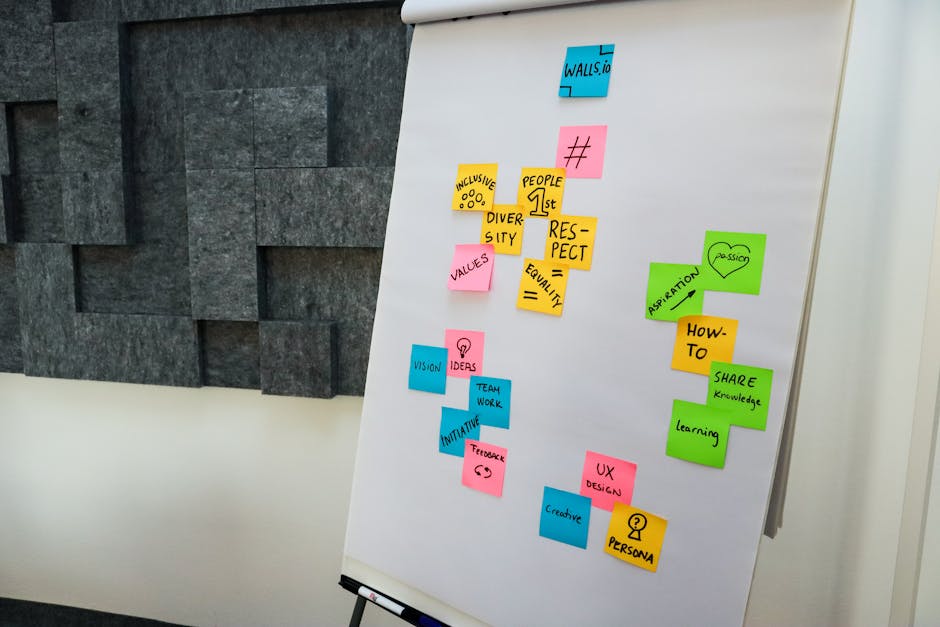
Most SaaS teams wait too long to audit their UX. They ship features, watch metrics plateau, and assume the problem is marketing or pricing. But the data tells a different story. According to Contentsquare's UX audit guide, a single percentage point increase in conversion rate can translate to 33% more paying customers per month for a product converting at 3%. That is not a rounding error. That is the difference between hitting your growth target and missing it.
925Studios has found that the SaaS products growing fastest are the ones treating UX audits as a recurring practice, not a one-time project. Linear, Notion, and Amplitude all run continuous UX evaluations. They catch friction early, fix it fast, and compound those gains over months.
The real cost of skipping a UX audit is invisible. Users do not email you about confusing navigation. They just leave. Session recordings and analytics data reveal what surveys never will.
How to Run a UX Audit for Your SaaS Product: The Step-by-Step Process
Step 1: Define Your Audit Goals and Scope
Every effective UX audit starts with a specific question. "Is our product easy to use?" is not specific enough. "Why do 40% of trial users drop off before completing onboarding?" is.
Tie your audit goals directly to business metrics. The most common SaaS audit triggers include declining activation rates, rising churn in a specific cohort, low adoption of a new feature, or conversion drops on a key flow like signup or upgrade.
Define the scope clearly. Are you auditing the entire product, or focusing on onboarding, the dashboard, or a specific workflow? Stripe runs focused audits on individual payment flows rather than trying to evaluate everything at once. That focus produces sharper findings.
What to document before you start:
The specific business metric you want to move (e.g., trial-to-paid conversion)
The user journey or flow you are auditing
The personas involved (new user, power user, admin)
Your success criteria: what does "audit complete" look like?
Common mistake: Auditing too broadly. A full-product audit sounds thorough, but it produces a 50-page report nobody acts on. Pick one flow and go deep.
Step 2: Gather Quantitative Data
Before you evaluate anything subjectively, pull the numbers. Analytics data tells you where users struggle. Qualitative research will later tell you why.
Start with your product analytics tool. Amplitude, Mixpanel, PostHog, or even Google Analytics can show you funnel drop-offs, time-on-task, rage clicks, and feature usage patterns. Look for pages with high exit rates, flows with steep drop-offs, and features with low adoption despite high visibility.
Key data to collect:
Funnel conversion rates for your target flow (step by step)
Average time-on-task for key actions
Error rates and error message frequency
Support ticket themes from the last 90 days
NPS or CSAT scores segmented by user cohort
Notion's product team tracks "time to first value" as their north star onboarding metric. If your analytics tool does not show you where users hit friction, you are flying blind.
Not sure where your product stands on these metrics? Get a free UX audit from 925Studios.
Step 3: Run a Heuristic Evaluation
Heuristic evaluation is the backbone of any UX audit. You systematically walk through your product against a set of established usability principles. Maze's UX audit checklist recommends using Jakob Nielsen's 10 usability heuristics as the foundation.
The 10 heuristics, applied to SaaS:
Visibility of system status. Does your app show loading states, progress indicators, and confirmations? Slack does this well with typing indicators and message delivery checkmarks.
Match between system and real world. Does your product use language your users actually use? Stripe's API documentation mirrors developer vocabulary precisely.
User control and freedom. Can users undo actions, go back, or exit flows easily? Linear lets you undo almost any action with Cmd+Z.
Consistency and standards. Do similar actions behave the same way across your product? Figma maintains consistent right-click menus and keyboard shortcuts throughout.
Error prevention. Does your product prevent mistakes before they happen? Intercom's message composer warns you before sending to the wrong audience segment.
Recognition over recall. Are options visible rather than requiring users to remember them? HubSpot's CRM surfaces recent contacts and deals without requiring manual searches.
Flexibility and efficiency. Does your product support both beginners and power users? Notion offers slash commands for power users and a toolbar for beginners.
Aesthetic and minimalist design. Is every element on screen earning its place? Vercel's dashboard strips away everything except what you need right now.
Help users recover from errors. Are error messages clear and actionable? Good error states explain what went wrong and what to do next.
Help and documentation. Is contextual help available where users need it? Loom embeds tutorial videos directly in the features they explain.
Walk through each heuristic against every screen in your audit scope. Document violations with screenshots, severity ratings (1-4 scale), and the heuristic being violated.
Step 4: Conduct Session Recordings and Heatmap Analysis
Heuristic evaluation catches design problems. Session recordings catch behavior problems, the things users actually do that surprise you.
Tools like Hotjar, FullStory, PostHog, or Clarity let you watch real user sessions and see where they click, scroll, hesitate, and abandon. When we run UX audits, session recordings consistently reveal issues that heuristic analysis alone misses. Users find creative workarounds, ignore features that seem obvious, and get stuck in places you would never predict.
What to look for:
Rage clicks: Repeated clicks on non-interactive elements signal confusion
U-turns: Users navigating forward then immediately going back
Dead clicks: Clicks that do not trigger any action
Scroll depth: How far users scroll on key pages (pricing, onboarding, settings)
Hesitation: Long pauses before taking action, often indicating uncertainty
Review at least 20-30 sessions across different user segments. Look for patterns, not individual anecdotes. If three out of thirty users struggle with the same dropdown, that is noise. If fifteen do, that is a finding.
Step 5: Collect Qualitative User Feedback
Numbers show you where. Recordings show you what. User feedback tells you why.
You do not need a large sample. Five user interviews can surface 85% of usability problems, according to Nielsen Norman Group research. Focus on users who recently completed (or abandoned) the flow you are auditing.
Methods that work for SaaS audits:
Moderated usability tests: Watch 5-8 users complete a specific task while thinking aloud. Zoom works fine for this.
Unmoderated testing: Tools like Maze or UserTesting let you collect task completion data at scale without scheduling calls.
In-app surveys: Use Userpilot, Sprig, or Hotjar surveys triggered at specific moments (post-onboarding, after feature use, at churn risk).
Support ticket analysis: Your support team already knows where users struggle. Mine those tickets for recurring UX themes.
Amplitude's team runs "listening sessions" where product designers watch customer calls recorded by the sales team. No extra research needed, just better use of existing data.
Want us to handle your user research and testing? Book a free 30-minute call.
Step 6: Synthesize Findings and Score Severity
By now you have three data streams: heuristic violations, behavioral patterns from recordings, and qualitative feedback from users. The next step is turning all of this into a prioritized list of issues.
For each finding, document:
Description: What the issue is, stated clearly
Evidence: Screenshot, recording clip, or user quote
Heuristic violated: Which of the 10 heuristics it maps to
Severity score (1-4):
4 = Catastrophic. Users cannot complete the task.
3 = Major. Users struggle significantly and some give up.
2 = Minor. Users are confused but find a workaround.
1 = Cosmetic. Noticeable but does not affect task completion.
Business impact: Which metric this issue affects (activation, retention, expansion revenue)
Estimated effort: Quick fix (days), medium (1-2 sprints), large (requires redesign)
Sort your findings by a combined score of severity multiplied by business impact. This prevents the common trap of fixing easy cosmetic issues while critical flow-breaking problems sit in the backlog.
Step 7: Create the Audit Report and Recommendations
The audit report is only useful if people act on it. The best SaaS UX audit reports follow a simple structure that stakeholders, engineers, and designers can all read and understand.
Report structure:
Executive summary: 3-5 sentences covering the audit scope, top findings, and recommended priorities. This is for your CEO or VP Product.
Methodology: What you evaluated, which heuristics you used, how many sessions you reviewed, how many users you spoke with.
Top findings (ranked): Your 8-12 most impactful issues with evidence and severity scores.
Quick wins: 3-5 issues that can be fixed in under a week with high impact.
Strategic recommendations: Larger changes that require design sprints or cross-team coordination.
Metrics to track: How you will measure whether the fixes worked.
Userpilot's SaaS UX audit guide recommends including before/after projections for key metrics. If your onboarding drop-off is 40% and your audit reveals three fixable friction points, estimate the expected improvement. This gets engineering time allocated faster than any other tactic.
Step 8: Implement, Measure, and Repeat
The audit does not end with the report. The real value comes from implementing fixes and measuring results.
Start with your quick wins. Ship the highest-severity, lowest-effort fixes first and measure the impact within 2-4 weeks. Contentsquare's research shows that even simple changes, like simplifying a navigation menu, can produce 23% conversion improvements.
Implementation framework:
Week 1-2: Ship quick wins (copy changes, button placement, error message improvements)
Week 3-6: Run A/B tests on medium-effort changes (flow restructuring, new UI patterns)
Week 6-12: Execute strategic redesigns based on the audit's larger recommendations
Week 12: Re-audit the same flow to measure progress
The best SaaS teams treat UX audits as a quarterly practice. Intercom runs focused UX reviews every quarter on their highest-traffic flows. HubSpot's product team conducts "UX health checks" on each product area twice a year.
Want to see how leading SaaS products structure their audit cycles? Explore the 925Studios case studies.
Common UX Audit Mistakes That Waste Your Time

Auditing Everything at Once
A full-product audit sounds comprehensive. In practice, it produces a 100-item spreadsheet that overwhelms your team and leads to nothing getting fixed. Pick one flow, audit it thoroughly, ship the fixes, then move to the next flow. Stripe, Linear, and Figma all run focused audits on specific user journeys, not product-wide sweeps.
Ignoring Quantitative Data
Some teams run heuristic evaluations based purely on expert opinion and skip the analytics entirely. This produces findings that feel right but may not match actual user behavior. Always pair heuristic analysis with real usage data. The combination of "this violates a design principle" and "here is the data showing users struggle with it" is what gets fixes prioritized.
Treating the Report as the Deliverable
The audit report is a means to an end, not the end itself. If your report sits in a shared drive unread, the audit failed regardless of how thorough it was. Present findings to stakeholders, tie every issue to a business metric, and include a clear implementation timeline. The goal is shipped fixes, not documented problems.
Skipping the Re-Audit
You ship the fixes. Metrics improve. The team moves on. But without a follow-up audit, you do not know which specific changes drove the improvement, and you miss new issues introduced by the fixes themselves. Schedule a re-audit 8-12 weeks after implementing changes.
UX Audit Templates and Resources
You do not need to build your audit framework from scratch. Here are practical resources to accelerate your process:
Heuristic evaluation template: Create a spreadsheet with columns for each of Nielsen's 10 heuristics, severity score, screenshot, and recommendation. Walk through each screen and fill it in systematically.
Severity scoring matrix: Use a 2x2 matrix with severity (1-4) on one axis and business impact (low/medium/high) on the other. Issues in the top-right quadrant get fixed first.
Session recording review sheet: Track each session with columns for user segment, task attempted, task completed (yes/no), friction points observed, and time on task.
Audit report template: Executive summary, methodology, ranked findings with evidence, quick wins, strategic recommendations, success metrics.
Tools for running SaaS UX audits:
Analytics: Amplitude, Mixpanel, PostHog, Google Analytics
Session recordings: Hotjar, FullStory, Microsoft Clarity, PostHog
Usability testing: Maze, UserTesting, Lookback
In-app surveys: Userpilot, Sprig, Typeform
Heatmaps: Hotjar, Crazy Egg, Contentsquare
The key is picking tools you will actually use consistently, not assembling the most comprehensive stack. A team that reviews Hotjar recordings weekly will outperform a team with every tool but no review cadence.
Frequently Asked Questions

How long does a SaaS UX audit take?
A focused audit on a single flow (like onboarding or checkout) typically takes 2-3 weeks. This includes 3-5 days of data gathering, 3-5 days of heuristic evaluation and session review, 2-3 days of user interviews, and 2-3 days of synthesis and reporting. A full-product audit can take 6-8 weeks, but most teams get better results from focused, iterative audits.
How much does a UX audit cost if you hire an agency?
Agency-led UX audits typically range from $5,000 to $25,000 depending on scope. A focused flow audit runs $5,000-$10,000. A comprehensive product audit with user research can reach $15,000-$25,000. In-house audits cost less in direct spend but require team time and existing expertise with heuristic evaluation methods.
Can I run a UX audit without user research?
You can run a partial audit using only heuristic evaluation and analytics data. This catches about 60-70% of usability issues. Adding even 5 user interviews significantly improves the quality of findings because it reveals the "why" behind behavioral patterns. If budget is tight, prioritize session recordings over formal user testing.
What is the difference between a UX audit and usability testing?
A UX audit is a comprehensive evaluation that combines multiple methods: heuristic analysis, analytics review, session recordings, and user research. Usability testing is one component of a UX audit, focused specifically on watching users attempt tasks. Think of usability testing as an ingredient and the UX audit as the full recipe.
How often should SaaS products run UX audits?
Quarterly lightweight audits on your highest-traffic flows, with a deeper comprehensive audit once or twice a year. Products shipping major features should audit the affected flows within 4-6 weeks of launch. Companies like Intercom and HubSpot follow this cadence and consistently outperform competitors on usability benchmarks.
What tools do I need to run a UX audit?
At minimum: a product analytics tool (Amplitude, Mixpanel, or PostHog), a session recording tool (Hotjar or Clarity, both have free tiers), and a spreadsheet for documenting findings. For a more thorough audit, add a usability testing platform like Maze and an in-app survey tool like Userpilot or Sprig.
How do I convince stakeholders to act on UX audit findings?
Tie every finding to a business metric. Instead of "the onboarding flow violates heuristic #1," say "40% of trial users drop off at step 3 of onboarding, costing us an estimated $X/month in lost conversions." Include projected impact estimates for each recommendation. Executives respond to revenue impact, not usability scores.
What is the biggest ROI from a SaaS UX audit?
Onboarding flow fixes consistently deliver the highest ROI. A 10-20% improvement in trial-to-paid conversion directly impacts monthly recurring revenue. For a SaaS product with 1,000 monthly trials and a $50/month plan, improving conversion from 5% to 7% adds $12,000 in new MRR every month, compounding over time.
Working on a SaaS product? Talk to the 925Studios team at 925Studios. 925Studios will audit your UX and show you exactly what is killing your activation.
If you're building a product and want a second opinion on your UX, talk to 925Studios. 925Studios works with SaaS, fintech, healthtech, web3, and AI startups.


Let’s keep in touch.
Discover more about high-performance web design. Follow us on Twitter and Instagram.

